Ekiga VoIP – Talk across the Internet freely with Linux

Those who are used to VoIP and internet phone might already familiar with Ekiga, an open source VoIP client for Linux and Windows operating system.

Formerly known as GnomeMeeting, Ekiga allows you to place call and hold video conferencing session with any VoIP client that supports SIP and H323 protocol, including Microsoft Netmeeting, Gizmo, Linphone and XMeeting.

Ekiga allows you to call ordinary phone number at affordable rate via its PC-to-Phone account, all you need to do is to purchase Ekiga PC-to-Phone credits and you’re ready to call any phones in the world!

Stuck behind NAT? Ekiga enable you to talk over the internet even when your router does not support SIP/H323. The configuration druid will automatically detect your network connection and configures itself to adapt to your network environment.

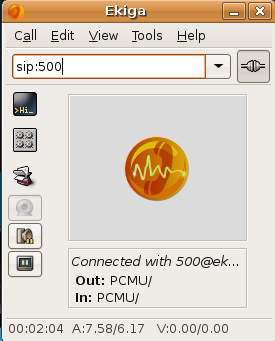
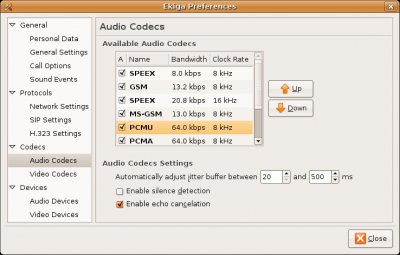
Here are some Ekiga’s Screenshots

ekiga1a.png

ekiga3.png

Interesting Ekiga Phone Numbers
You might notice I dialed ‘500’ in my Ekiga. Well that’s the number for an Ekiga echo service useful for testing your software setup. Here are some interesting Ekiga numbers for you to try.

  • sip:500 – audio and video echo test
  • sip:501 – conference room
  • sip:530 – talking clock
  • sip:*266303 – some music
  • sip:*266300 – monkey sound

Contact Me on Ekiga
You might also want to contact me using Ekiga at sip:mypapit@ekiga.net, I’m pretty open for some quick conversation or a helo.

p/s: I wrote this post as a respond to one of my blog readers request for me to write a post on Ekiga. Please refer to Howto Install Skype on Ubuntu if you’re more interested in Skype.

p/s 2: Base on my personal experience, I found Skype voice quality and service is noticeably more superior than Ekiga or Gizmo, your mileage may vary however

[tags]ekiga,voip,skype,internet,phone,linux,open source[/tags]

How to Compile Pocket PC PDA Application on Linux

Pocket PC is perhaps the most widely known PDA device available to general consumers, although it comes with Microsoft Windows CE, it still does not stop GNU/Linux users from syncing their Pocket PC device with Linux machines.

In this post, I’ll concentrate on developing Pocket PC application on Linux machine by using CeGCC.

First of all you need to install CeGCC cross compiler on your system by either

  1. Compiling CeGCC from its source code, or
  2. Installing it from Binary Package (rpm, deb)

For this quick introduction, I’ll concentrate on installing the compiler from Debian Package (deb). Other packages can be downloaded from CeGCC project page

Get the Deb package

Install both packages
Install both mingw32ce and cegcc using dpkg,


$ sudo dpkg -i cegcc-mingw32ce_0.50-2_i386.deb
$ sudo dpkg -i cegcc-cegcc_0.50-2_i386.deb

the package files will be installed on /opt.

Download Example Source Code

Compiling the application
To compile the example applications, you need to change the directory to “/opt/cegcc/bin/“, then execute

$ ./arm-wince-cegcc-gcc ~/hello.c -o ~/hello.exe

Copy hello.exe to your Pocket PC PDA, and execute it using File Explorer to see it running. Repeat the step for “Random Rectangle” example.

Conclusion
CeGCC is a great package for Pocket PC mobile application development as it produces binaries that are compatible with modern ARM processor and Windows Mobile operating system. CeGCC enables Pocket PC application development under a completely free and open source environment

[tags]pocketpc, pocket pc, linux, ubuntu, gcc, compiler, c#, pda,mobile,gadgets[/tags]

Download Cool Desktop Themes from Gnome-Look.org

Those who are just trying out the Linux Desktop environment (specifically – Ubuntu, Debian and Fedora) might already familiar with GNOME, one of the two most popular desktop environments for Linux distros.

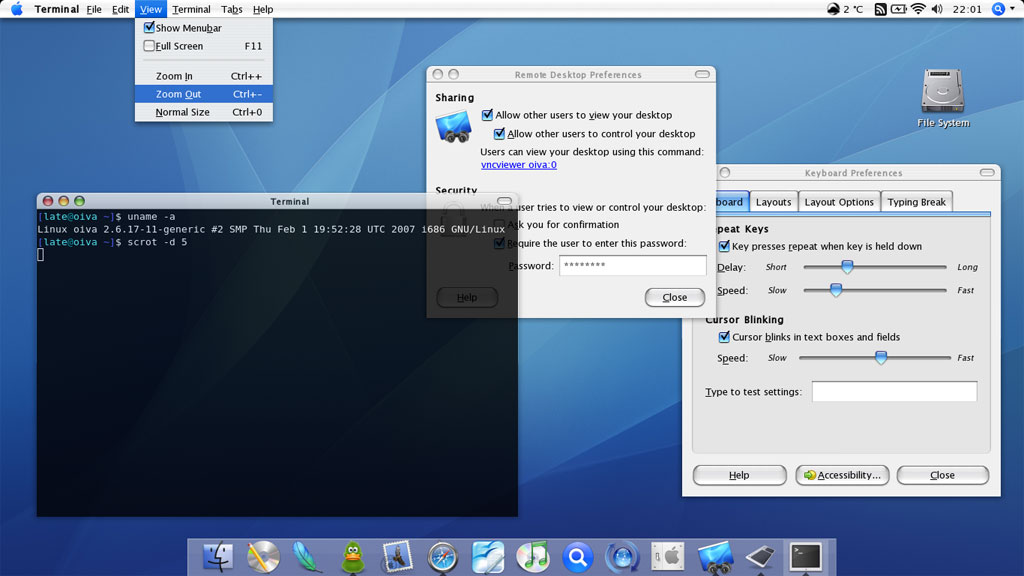
The customizable look and theme of GNOME desktop has made it an ideal platform for desktop ‘modders’ to modify their Desktop Environment mimicking other operating system desktop such as Mac OS X and Windows Vista

The frequently customized part of GNOME are :

  1. Icons
  2. Wallpapers
  3. Gtk-Engines
  4. Panels

All of which can customized or downloaded from the famous Gnome-Look.org and Gnome Art: Theme section website or other places.

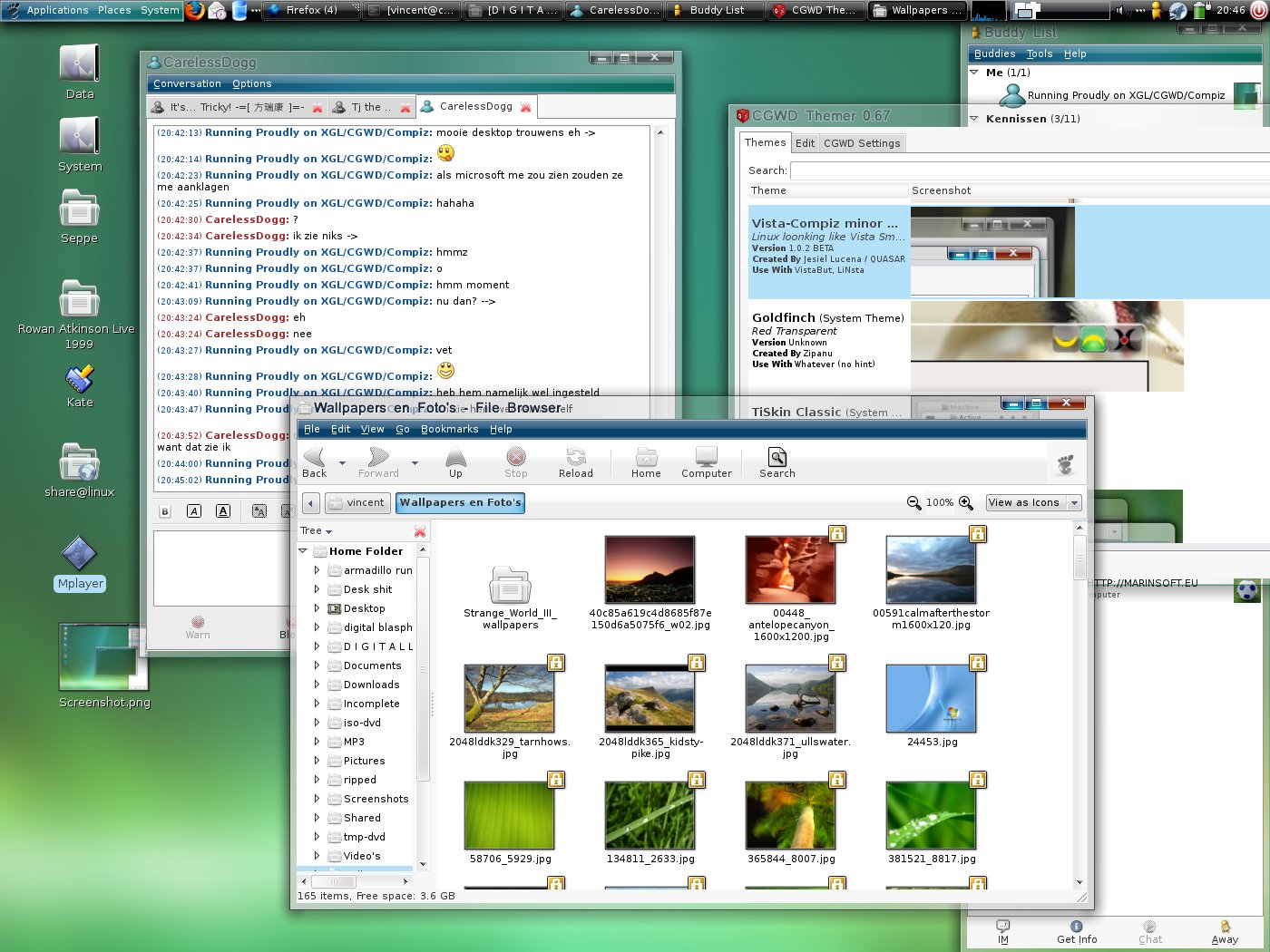
Here are some of the customized GNOME desktop images floating around the internet:

Gnome OS X Theme

Gnome Windows Vista Theme

Gnome Black Theme /></a></p>
<p>[tags]ubuntu,linux,vista,gnome,desktop, kde,vista,windows[/tags]</p>
	</div><!-- .entry-content -->

	
</article><!-- #post-649 -->

<article id=

Ubuntu Feisty Fawn Repository on DVD

This is a continuity from my previous post Get Ubuntu Repositories on DVD.

Now you can get Ubuntu Feisty Fawn Repository DVD images from ftp://tuma.ui.edu/pub/ubuntu-repository/7.04/.

While some might argue that putting the whole Ubuntu repository on DVD is unnecessary, having it is nice especially when you need to install software packages in places where a high-speed internet connection (broadband) is not available.

Please refer here for a guide to add the DVD on Feisty Fawn repository list. You can also read the guide in Indonesian language from http://wiki.ubuntu-id.org/DistribusiDvdReposUbuntu

Alternatively, you can create a customized Repository CD/DVD that suit your needs using AptOnCD utility to be used on a computer which does not have a high speed internet connection.

-Hope that would help

[tags]ubuntu,feisty fawn,feisty,debian[/tags]

Ubuntu : How to Syncronise Computer Time with NTP

Network Time Protocol (NTP) is a protocol responsible for keeping your computer time in sync (Standard Time) with the rest of the world. Keeping up with standard time with the rest of the world proves to be useful when you’re interacting with the rest of computers across the world.

Here’s how to manually update your computer time to syncronise with NTP, from the terminal run ‘ntpdate’ command


sudo ntpdate europe.pool.ntp.org north-america.pool.ntp.org

If you live in South-East Asia like me, you can synchronize your computer time with the Malaysian/SIngapore NTP server


sudo ntpdate 3.asia.pool.ntp.org 1.asia.pool.ntp.org

Note that the synchronizing process is usually done automatically by the operating system when the computer is connected to the internet. This command is useful if you wish to synchronize your computer manually when you’re connected to internet.

[tags]ntpd,ntp,ubuntu,debian[/tags]

How to install Skype on Ubuntu

Skype is perhaps the most popular client to make calls from your computer to any phone lines in the world. With SkypeIn subscription, you can even get an international phone number for everybody to call you, a completely neat way for your friend in overseas to call you with cheap rates. Although Skype is a proprietary software which uses a non-open protocol, some people would find it useful as it enables them to make international call with cheaper rate via SkypeOut.

Installing Skype on Ubuntu (or Debian)
This how to will show you how to install a Skype client in Ubuntu & Debian base operating system.

  1. First of all you need to start up Synaptic Package manager. Go to System->Synaptic Administration->Synaptic Package Manager,
  2. From Synaptic, go to Settings->Repositories. Click on Third Party Software Tab. Click Add, and put on this line :
    deb http://download.skype.com/linux/repos/debian/ stable non-free

    Click Add Sources.

  3. Click Close, and Click ‘Reload’ at the top of Synaptic. Now you can search for Skype, and install it from Synaptic.

skype3tn.png

skype1tn.png
skype2tn.png

Hope that will help you to install Skype on your Linux operating system. Alternatively, If you’re a fan of open source software and open standards, then you might want to look into Ekiga (formerly GnomeMeeting), cheerio!

[tags]skype,voip,ubuntu,feisty fawn,linux,messenger[/tags]