Read and Write NTFS filesystem with Ubuntu Linux

This is one of the most popular questions that, previously i would suggest using the native NTFS linux kernel driver, but the driver itself only has a limited write support.

The best way to enable writing to NTFS partition is with the ntfs-3g userland driver. It uses the fuse driver and although still in BETA, tests proven that the driver really works for writing into ntfs partition.

For Ubuntu users, all you need to do is follow the instruction given in this website : https://wiki.ubuntu.com/ntfs-3g

I’ve tried it, and it worked perfectly with my machine, no need to depend to intermediate FAT32 partitions to transfer files from Linux. But one? word of advice, although it seems to work, you still need to keep in my that the developers of ntfs-3g driver still consider it in BETA release, so be advice and don’t rough it up too much :p

[tags]linux,ubuntu,debian,ntfs,fuse,kernel,linux kernel,filesystem,filesystems[/tags]

Install Java 5 SDK and Java JRE in Ubuntu

Installing Java Runtime and SDK has been made easier with Ubuntu Linux. Here’s a quick tip to install Java 5 SDK or Runtime in Ubuntu Linux.

1. First, go to System->Administration->Software Properties,

Check all options/channels

2. Close the dialog, and go to System->Administration->Synaptic Package Manager

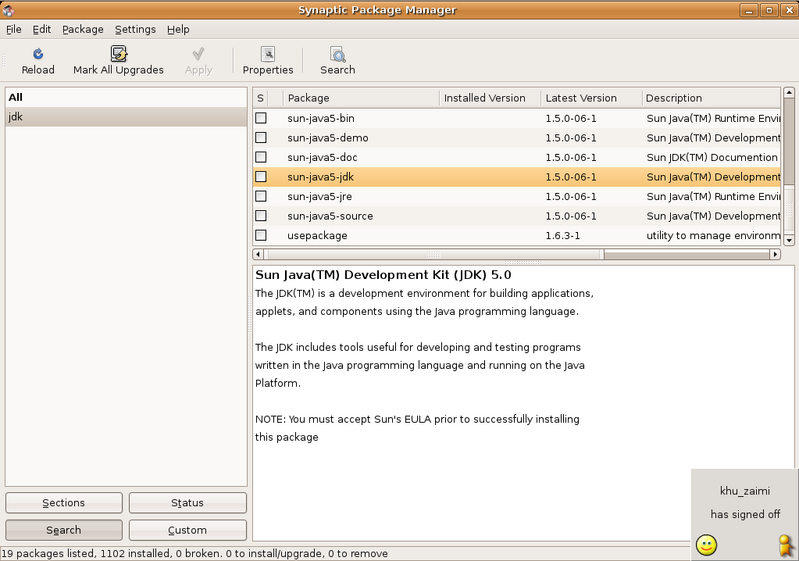
Search for Java package,

Select sun-java-sdk, and install the package,

Continue reading “Install Java 5 SDK and Java JRE in Ubuntu”

Howto Speed Up Ubuntu Booting process

I’ve a friend of mine complained about how Ubuntu and other GNU/Linux distro boots slowly compared to Microsoft Windows. I told him this is because Ubuntu and other GNU/Linux distro tend start services that generally safe for average users.

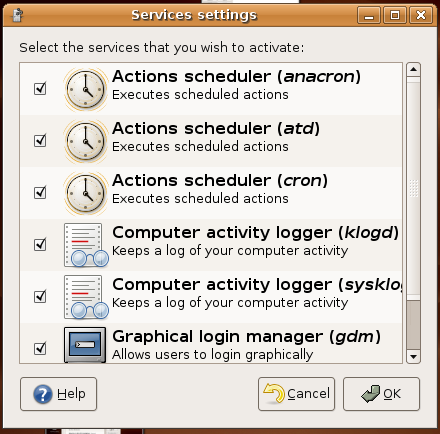
He then told me about how he can customise Windows XP startup process and disable the services that he don’t use. Actually there’s a way to do that in Ubuntu too. Just go to System->Administration->Services, and disable whatever services that you don’t need .

Continue reading “Howto Speed Up Ubuntu Booting process”

Linux DVD Ripping with Thoggen

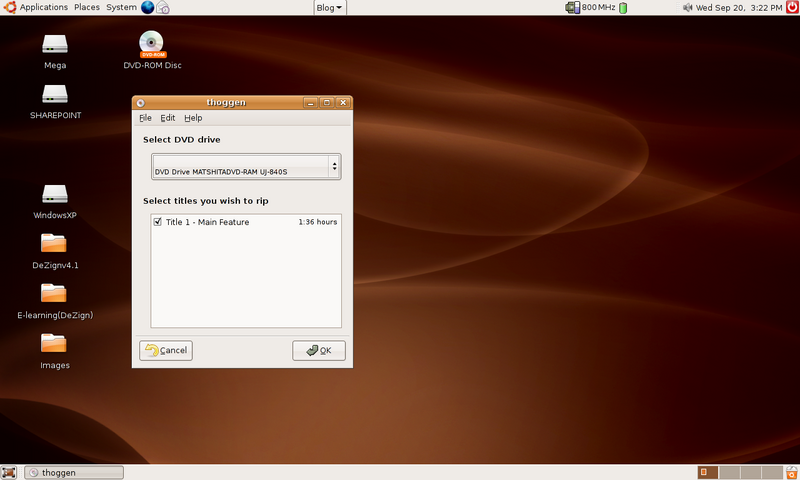
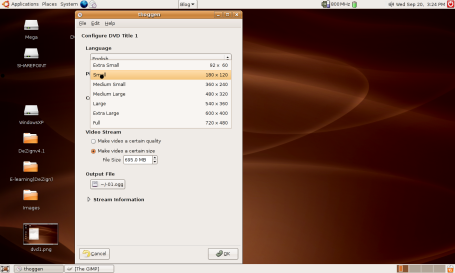
Thoggen is an application that lets you create backup of your favorite DVD. Thoggen feature an easy to use interface that is very friendly even to those who never rip a DVD before.


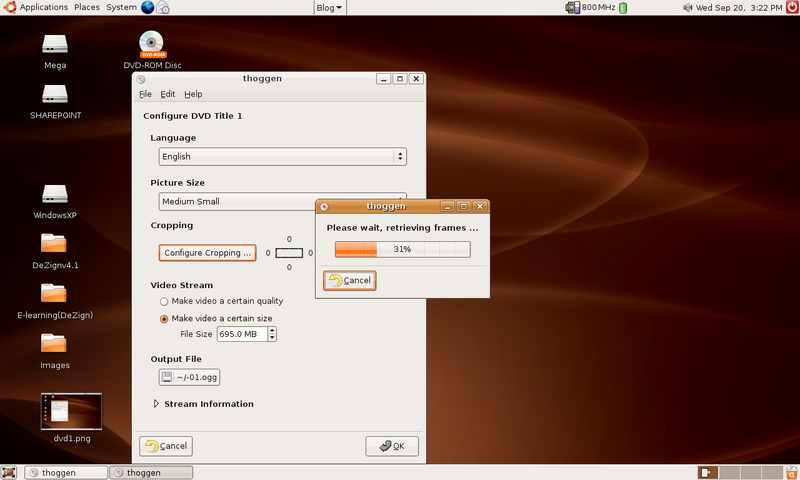
Thoggen accepts input from DVDs or VOB file, and then you can select your desired settings for the movies, either by quality of the video or the size of the final result (typically one would like 695MB as it would fit a CD).

Beside that, you can also use thoggen to crop the dimension of the video in order to make it smaller.

Thoggen is available in universe repository for Ubuntu users.

Thoggen website : http://thoggen.net/

[tags]thoggen,dvd,dvd ripping, rip dvd, multimedia, dmca, libdvdcss[/tags]

Localise Ubuntu Edgy Eft into Malay Language


I don’t know if you already heard about this, but the Ubuntu project is giving you a chance to localise your favorite GNU/Linux applications to your native language. To get involve, all you need to do is register a Launchpad.net account and proceed to Ubuntu Edgy Eft translation page.

From there you can choose which ubuntu apps that you want to localise. The current Malay localisation is about 25% and increasing steadily.
Translation is easy enough, you will be given a list of application to translate and it’s up to you to translate parts that you felt easy to translate with. In addition, you’ll be rewarded ‘karma’ for each translation you made.

Additionally, if you’re involved in localising Ubuntu, then you should add yourself in http://aizatto.com/wiki/index.php/Ubuntu_Team to make it easier for people to reach you. The Malaysian Ubuntu team also has its own IRC channel #ubuntu-my at irc.freenode.net server, feel free to drop by anytime you like, we usually hang around there during .my night-time.

OK, i guess that’s all for now. I’m going to continue translating Ubuntu apps
[tags]ubuntu,debian,linux,l10n,launchpad,wiki,myoss,foss,open source,gnu/linux[/tags]

Quick Look on GNOME and KDE Desktop features

GNOME and KDE is probably the most famous windows manager for GNU/Linux based operating system. This is because major GNU/Linux distro opt to use either one of them as their main Windows Managers.

This move however has divided the users into two major camps, the GNOME and KDE camps. Each Window Manager has its own distinctive style and ways of handling user interaction

I found a nice website that try to compare features available between the two desktop environment (using Ubuntu as a base distro) : KDE and GNOME Environment

[tags]ubuntu,kde,gnome,linux,desktop,distro, gnu/linux[/tags]