Debian GNU/Linux Etch 4.0 – GUI Installation Screenshot

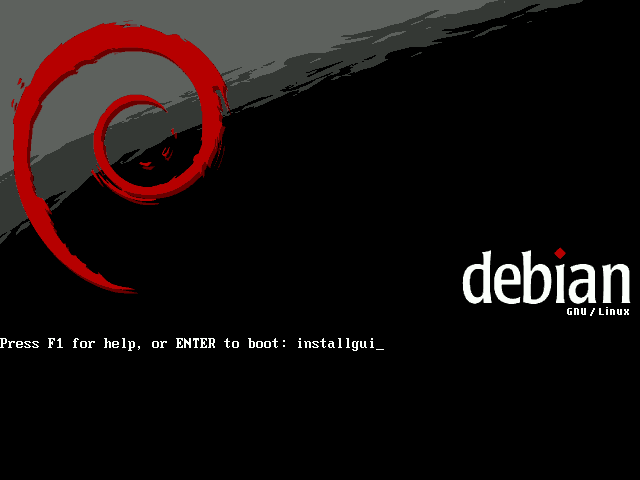
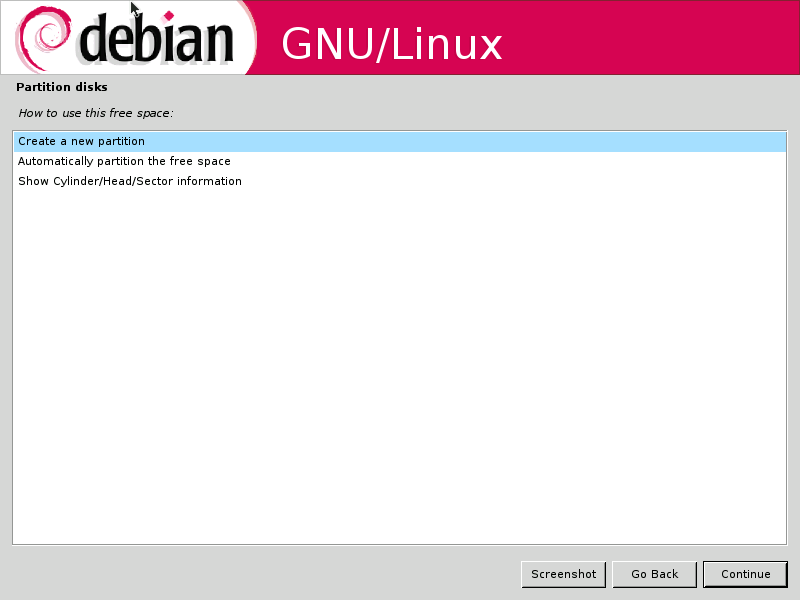
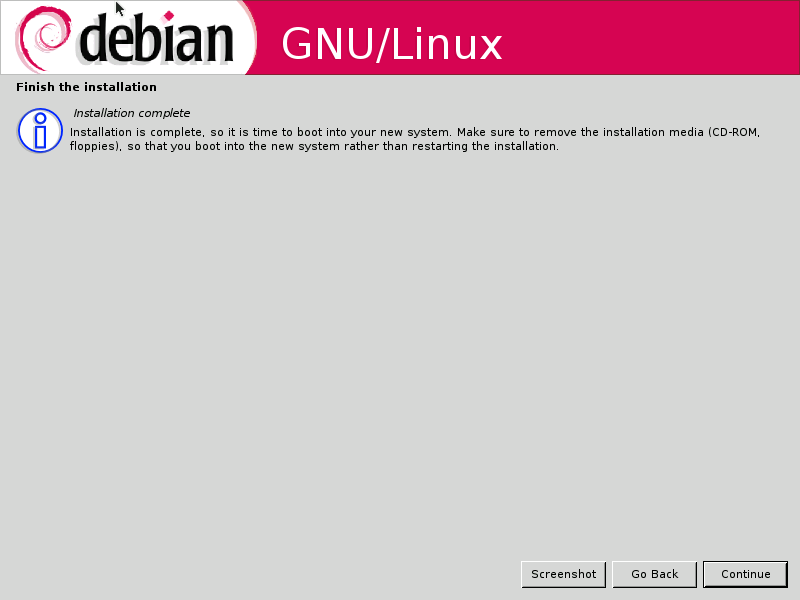
The upcoming Debian GNU/Linux (Etch) will spot several new features, one of it is the much awaited Graphical Installation mode, here’s some screenshot of the GUI installer in action :

Debian Etch Boot Screen

Language Selection

Network Configuration via DHCP

Partition Hard disk

Final Screen (Installation Complete)?

The GUI version of Debian-Installer is only available on x86 and AMD64 architecture only. Debian Etch is scheduled to be released on December 4, 2006. From the looks of it, it seems that the default installation mode is still going to be the text-mode Debian-Installer
[tags]debian,debian etch,etch, gnu/linux,linux,opensource, open source, livecd[/tags]

Howto solve Ubuntu Dapper-Edgy Upgrade problem

Ubuntu Edgy Eft is out, and I heard almost everybody seems to upgrade Dapper to get the feel of the new and improved init scripts.

However, some people might encounter few problems while upgrading, including not able to log into X, cant boot the new system, kernel fail to boot, 3D acceleration broken and touchpad stopped working.

Though to most people, the upgrading process will be a breeze, some (including me) are bound to experience a bumpy ride.

To ease the process, DebianAdmin published an article that solve common upgrade problem : Ubuntu Edgy Upgrade Common Problems With Solutions which might help you get out from those sticky situations.

Hope you enjoy reading it.
[tags]ubuntu,dapper,edgy eft,edgy,linux,gnu/linux,opensource,open source[/tags]

Howto Upgrade Ubuntu Dapper to Edgy Eft

If you already have Ubuntu Dapper 6.06 LTS installed, and you’re kinda lazy to perfom a fresh installation of Ubuntu Edgy Eft, you can perform distribution upgrade from your Dapper Drake installations to Edgy Eft.

Here’s a quick way to do it :

Goto terminal ( From Desktop, goto Applications->Accessories->Terminal )

user@desktop:~$ sudo sed -e 's/dapper/ edgy/g'
-i /etc/apt/sources.list
user@desktop:~$ sudo apt-get update
user@desktop:~$ sudo apt-get dist-upgrade

Then lay back while your distro upgrades itself.

Note: My X won’t start after upgrading from Xubuntu Dapper to it’s Edgy Eft counterpart. I fix it by doing “sudo apt-get install xubuntu-desktop”.

Updates (from Xubuntu website):

Xubuntu 6.10 has not yet officially been released, but you can already download the final stable .iso image here. Be aware though, that there may be some problems upgrading from the Dapper Drake version when using update-manager.
Similarly, if you use the default Ubuntu installation with GNOME, you may want to use “apt-get install ubuntu-desktop” *IF* your X won’t start after upgrading (might not affect you, btw).

Happy upgrading!

(thanks to johnny)

[tags]ubuntu,dapper,edgy eft, linux, debian, opensource, open source, gnu/linux[/tags]

Ubuntu 6.10 Edgy Eft (and Fedora Core 6) Released!

I’m downloading the Ubuntu 6.10 Edgy Eft iso as I’m typing this post right now. I’m going to install Edgy Eft on the laptop in my house, to see if it can use the broadcom based wireless internet out from the box. So expect some post about it around next week (yes i’m very busy!)

Previously (like 4 hours ago) , I’ve upgraded my dad’s xubuntu pc via “apt-get dist-upgrade”, everything went smoothly, except X won’t start after upgrading, I’ve to do “apt-get install xubuntu-desktop” to get it running again.

You can download Ubuntu Edgy Eft from its official website.

Read about the new features included in the latest release.

Ah, before I forget, Fedora Core 6 also has been released. As of this writing, you can get FC6 DVD and CD from a list of mirrors or via Bittorrent.

[tags]ubuntu,linux,gnu/linux,debian,fedora,edgy eft,edgy,open source,opensource,downloads[/tags]

Ubuntu 6.10 Edgy Eft unavailable for Ship It

With the release of Ubuntu Edgy Eft is approaching (October 26, 2006), I’ve a not so great news to those who are used to get free Ubuntu CDs from ShipIt. Canonical has no plan to make Edgy Eft available on Ship It as Dapper Drake is a long supported release.

So for those who wanted to get Ubuntu Edgy Eft, you can always try the old fashion way by downloading the ISO from Ubuntu Download website and/or buy it from your local cd store.

[Source]

[tags]ubuntu,edgy eft, dapper drake, debian, linux, distro, gnu/linux [/tags]

Ubuntu 7.04 Feisty Fawn Announced

With the official release date of Ubuntu 6.10 (Edgy Eft) approching, Mark Shuttleworth announced the name of the next release of Ubuntu due in April. The release will be named Feisty Fawn “in the spirit of a young deer that sets out to explore a world that is new and exciting”.

Unlike Edgy Eft which have a slightly short development cycle, the Feisty Fawn returned to its six-month development cycle with focussed improvement on multimedia application and desktop effects, improved laptop support and and aggressive adoption of emerging desktop technologies.

Meanwhile, stay tuned for the final release? of Ubuntu Edgy Eft due on 26th October 2006, with faster startup process!

[source]

[tags]ubuntu,debian,linux,edgy eft,distro,shuttleworth[/tags]