Read and Write NTFS filesystem with Ubuntu Linux

This is one of the most popular questions that, previously i would suggest using the native NTFS linux kernel driver, but the driver itself only has a limited write support.

The best way to enable writing to NTFS partition is with the ntfs-3g userland driver. It uses the fuse driver and although still in BETA, tests proven that the driver really works for writing into ntfs partition.

For Ubuntu users, all you need to do is follow the instruction given in this website : https://wiki.ubuntu.com/ntfs-3g

I’ve tried it, and it worked perfectly with my machine, no need to depend to intermediate FAT32 partitions to transfer files from Linux. But one? word of advice, although it seems to work, you still need to keep in my that the developers of ntfs-3g driver still consider it in BETA release, so be advice and don’t rough it up too much :p

[tags]linux,ubuntu,debian,ntfs,fuse,kernel,linux kernel,filesystem,filesystems[/tags]

Install Java 5 SDK and Java JRE in Ubuntu

Installing Java Runtime and SDK has been made easier with Ubuntu Linux. Here’s a quick tip to install Java 5 SDK or Runtime in Ubuntu Linux.

1. First, go to System->Administration->Software Properties,

Check all options/channels

2. Close the dialog, and go to System->Administration->Synaptic Package Manager

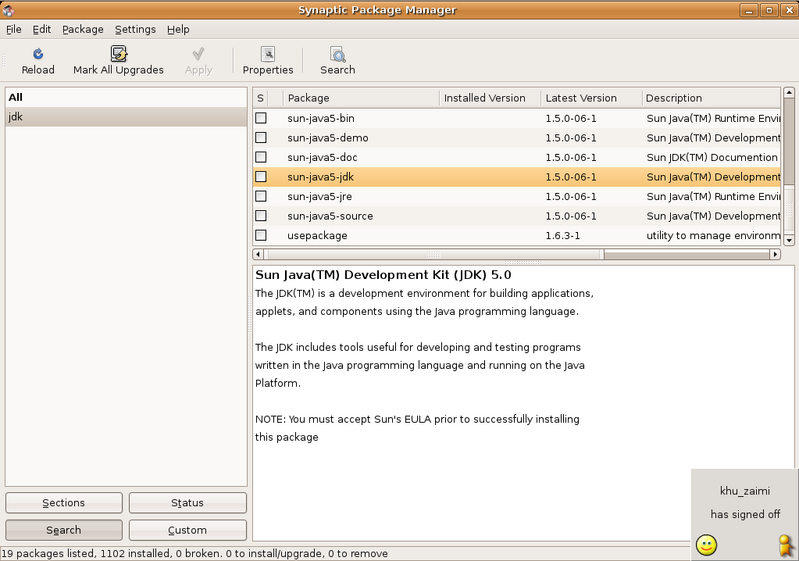
Search for Java package,

Select sun-java-sdk, and install the package,

Continue reading “Install Java 5 SDK and Java JRE in Ubuntu”

Howto Speed Up Ubuntu Booting process

I’ve a friend of mine complained about how Ubuntu and other GNU/Linux distro boots slowly compared to Microsoft Windows. I told him this is because Ubuntu and other GNU/Linux distro tend start services that generally safe for average users.

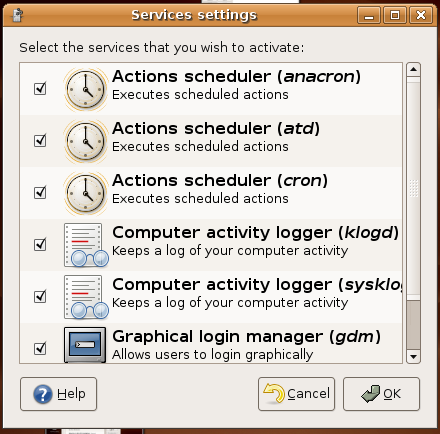
He then told me about how he can customise Windows XP startup process and disable the services that he don’t use. Actually there’s a way to do that in Ubuntu too. Just go to System->Administration->Services, and disable whatever services that you don’t need .

Continue reading “Howto Speed Up Ubuntu Booting process”

Linux DVD Ripping with Thoggen

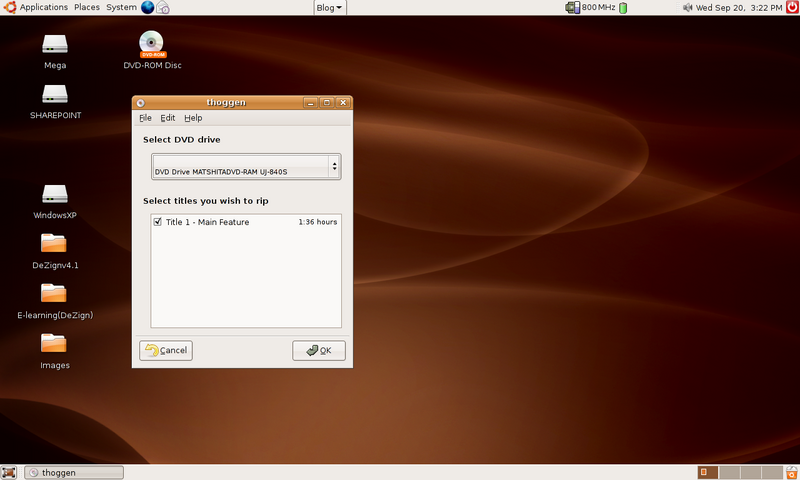
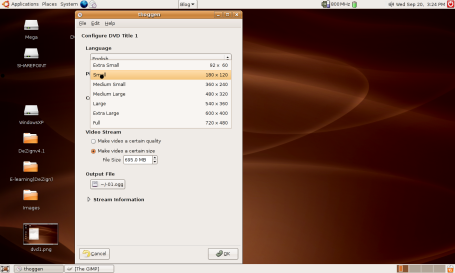
Thoggen is an application that lets you create backup of your favorite DVD. Thoggen feature an easy to use interface that is very friendly even to those who never rip a DVD before.


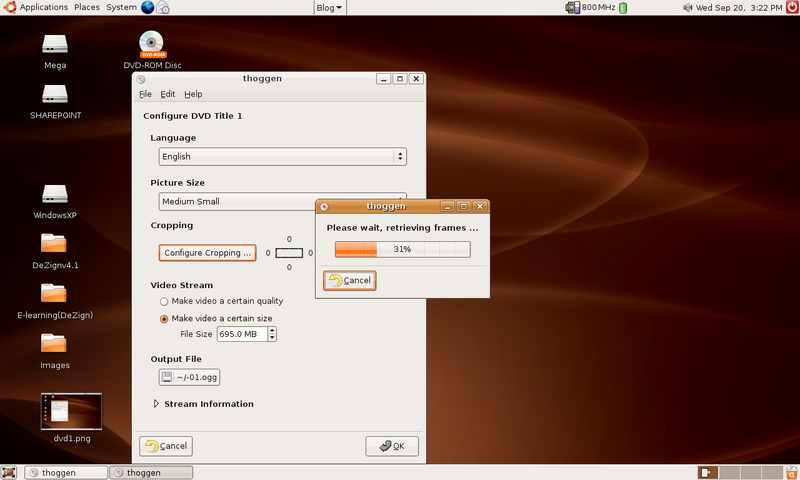
Thoggen accepts input from DVDs or VOB file, and then you can select your desired settings for the movies, either by quality of the video or the size of the final result (typically one would like 695MB as it would fit a CD).

Beside that, you can also use thoggen to crop the dimension of the video in order to make it smaller.

Thoggen is available in universe repository for Ubuntu users.

Thoggen website : http://thoggen.net/

[tags]thoggen,dvd,dvd ripping, rip dvd, multimedia, dmca, libdvdcss[/tags]

MicroClient, Affordable Compact Embedded Linux Box

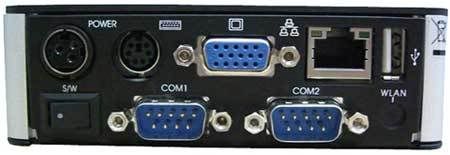
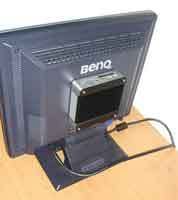
I surfed the internet and found a website which sells embedded computers for networking purpose. What caught my eyes is this box that they doubt MicroClient Jr. a compact computer with a nice casing.

By default MicroClient Jr has two COM ports, 3 USB, wifi , CF card slot, audio jacks and a Ethernet RS-232 port which can added. The unit is priced at USD120 for average order and USD90 per 1,000 unit ordered. The company producing it use Puppy Linux as demonstration of its capabilities, personally i think most of us would run Linux distros that are better tuned to handle networking environment.

Although it doesn’t sports a powerful processor (SiS550 166Mhz SoC), an embedded system like this can be useful for your experimental / hobby project which requires easily configurable embedded system.

You can view full specification of MicroClient Jr at its company website, NorhTec MicroServers (might be offline)
p/s: i don’t think this system is fast enough to play MPEG-4 based video files :p

[tags]embedded, linux, compact, atx, itx, real-time, gnu/linux, puppylinux, damnsmalllinux,embedded device, firewalls[/tags]

How to Boot Linux from USB Drive

Looking for a way to boot linux from USB drive? Then you’re in luck, I found just the right website for your, It’s pendrivelinux.com. The website lists tutorials on how to boot various GNU/Linux distributions out from USB drive.

The tutorial is easy and simple to use, and currently features :

  • Knoppix Linux
  • PCLinuxOS
  • SLAX
  • PuppyLinux
  • Damn Small Linux
  • Runt

However, most of the tutorial assume you have 1GB USB, bios that can boot from USB drive and some basic Linux skills. The website also feature online store which sells preloaded Linux USB drive at an affordable price.

Visit PenDriveLinux.com for more information

[tags]linux,gnu/linux,usb drive,usb,pendrive,embedded,damnsmalllinux,knoppix,slax,pupy linux[/tags]