Some Servicing Required

I’m Upgrading/Optimizing my WordPress blog software, please inform me if my blog loads slowly.

Meanwhile, I think i’m going to be busy for the next couple of days, doing some stuffs, but I promise will be back with some cool post for you guys. Thanks for reading anyway.

Howto solve Ubuntu Dapper-Edgy Upgrade problem

Ubuntu Edgy Eft is out, and I heard almost everybody seems to upgrade Dapper to get the feel of the new and improved init scripts.

However, some people might encounter few problems while upgrading, including not able to log into X, cant boot the new system, kernel fail to boot, 3D acceleration broken and touchpad stopped working.

Though to most people, the upgrading process will be a breeze, some (including me) are bound to experience a bumpy ride.

To ease the process, DebianAdmin published an article that solve common upgrade problem : Ubuntu Edgy Upgrade Common Problems With Solutions which might help you get out from those sticky situations.

Hope you enjoy reading it.
[tags]ubuntu,dapper,edgy eft,edgy,linux,gnu/linux,opensource,open source[/tags]

WordPress 2.0.5 is out

WordPress 2.0.5 is out, it is a bugfix release that fixes around 50 bugs lying around WordPress 2.0.4. Among bugs that has been fixed are :

  • Fixes the redundant “no follow” bug
  • /feed/ no longer display “404” page if there is no post
  • Post title now can have ‘%’ character
  • Fix the “RSS 2.0 invalid” bug

In addition to various bugfix WordPress 2.0.5 plugins page now are sorted according to the plugin name out from the box. For those who are reluctant to upgrade to 2.0.5 (Ronan), I guess you can still wait, because WordPress 2.1 (with some feature enhancements) is going to be launched soon.

Well, that’s for now…. and ah yes, I’ll be installing Ubuntu Edgy Eft on Compaq v2613 tonight, so expect me to be busy ;)
[tags]wordpress,blogger,blogging,blogs,blog[/tags]

Howto Upgrade Ubuntu Dapper to Edgy Eft

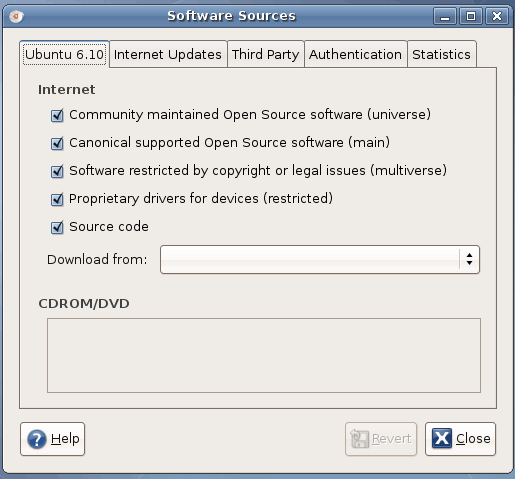
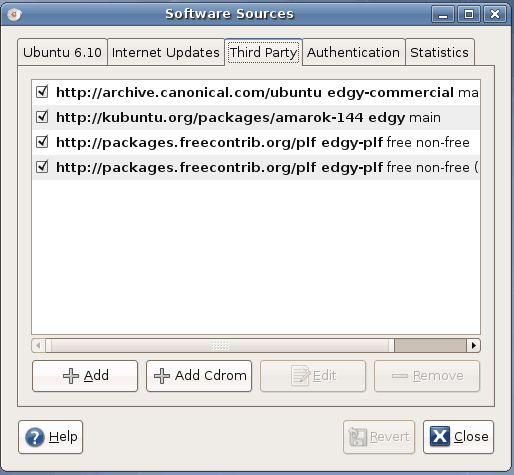
If you already have Ubuntu Dapper 6.06 LTS installed, and you’re kinda lazy to perfom a fresh installation of Ubuntu Edgy Eft, you can perform distribution upgrade from your Dapper Drake installations to Edgy Eft.

Here’s a quick way to do it :

Goto terminal ( From Desktop, goto Applications->Accessories->Terminal )

user@desktop:~$ sudo sed -e 's/dapper/ edgy/g'
-i /etc/apt/sources.list
user@desktop:~$ sudo apt-get update
user@desktop:~$ sudo apt-get dist-upgrade

Then lay back while your distro upgrades itself.

Note: My X won’t start after upgrading from Xubuntu Dapper to it’s Edgy Eft counterpart. I fix it by doing “sudo apt-get install xubuntu-desktop”.

Updates (from Xubuntu website):

Xubuntu 6.10 has not yet officially been released, but you can already download the final stable .iso image here. Be aware though, that there may be some problems upgrading from the Dapper Drake version when using update-manager.
Similarly, if you use the default Ubuntu installation with GNOME, you may want to use “apt-get install ubuntu-desktop” *IF* your X won’t start after upgrading (might not affect you, btw).

Happy upgrading!

(thanks to johnny)

[tags]ubuntu,dapper,edgy eft, linux, debian, opensource, open source, gnu/linux[/tags]

Ubuntu 6.10 Edgy Eft (and Fedora Core 6) Released!

I’m downloading the Ubuntu 6.10 Edgy Eft iso as I’m typing this post right now. I’m going to install Edgy Eft on the laptop in my house, to see if it can use the broadcom based wireless internet out from the box. So expect some post about it around next week (yes i’m very busy!)

Previously (like 4 hours ago) , I’ve upgraded my dad’s xubuntu pc via “apt-get dist-upgrade”, everything went smoothly, except X won’t start after upgrading, I’ve to do “apt-get install xubuntu-desktop” to get it running again.

You can download Ubuntu Edgy Eft from its official website.

Read about the new features included in the latest release.

Ah, before I forget, Fedora Core 6 also has been released. As of this writing, you can get FC6 DVD and CD from a list of mirrors or via Bittorrent.

[tags]ubuntu,linux,gnu/linux,debian,fedora,edgy eft,edgy,open source,opensource,downloads[/tags]

Mozilla Firefox 2.0 Released!

Finally, the official Mozilla Firefox 2.0 has been released, after a brief commotion about “Early Release” link provided from a digg post. I guess some people has learnt valuable lessons about downloading things before the official release.

I won’t repeat improvements that has been already stated on Mozilla? website as I want to stress on my personal opinion about this release.

First of all, I don’t like the shiny ‘visual improvement’ on the Firefox tab but I do feel that browsing internet with firefox is a lot smoother, although it still eats a lot of memory compared to other browsers.

The anti-phising warning is a nice addition to browser which dispense friendly warning of possible phishing site (fake website) that designed to harvest your personal information on the web.

Beside that, two of my extensions were disabled by Firefox 2.0 (PageRank, LiveHttpHeaders), i don’t care much about PageRank, the extension is pretty old anyway, but I do use a lot of LiveHttpHeaders extension for web development. Hope the extension author will take note of this.

Well that’s all that I noticed about Mozilla Firefox 2.0 for now, if you’re a firefox fan, then you should probably get it at : http://mozilla.com (Unless you’re using extensions that isn’t supported by the new release)

[tags]firefox,mozilla, mozilla firefox, web browser, open source, opensource, bon echo[/tags]