Iceweasel – a completely free alternative to Mozilla Firefox


Iceweasel is a fork of one of the popular browser, Mozilla Firefox with the main aim to provide a completely free browser alternative to the latter.

You might wonder why we need to fork Firefox since it is already free and open source?

The answer is a bit complicated.

Although Mozilla Firefox has been release by the Mozilla Foundation as an open source browser, part of the software is non-free such as the talkback crash reporting system, the artwork, the icons and the name of the browser.

To add to the problem, Mozilla didn’t give permission to use their trademarked name Firefox to be used on unofficial builds. Due to this complication of having proprietary component in foss application, IceWeasal was forked from Firefox code base.

IceWeasel is functionality is essentially the same with Mozilla Firefox but without the proprietary component. Debian is one of the first distro to use IceWeasal as its default browser starting by Debian Etch.

The current IceWeasel release are based on Mozilla Firefox 1.5.0.7, and each of it will be syncronised with the latest release of Firefox.

You can get Iceweasel from it’s project website (currenly available as source and GNU/Linux binaries only)

[tags]mozilla,firefox,mozilla firefox,iceweasel,debian,opensource,freesoftware[/tags]
Howto Bypass Ubuntu Login Screen

I think many of you who has installed Ubuntu, must hava encountered a login screen before you actually can use the Ubuntu desktop.

It maybe not a big deal for those who don’t mind having to login first before using the operating system because of security reasons or if the pc is shared between multiple users.

But some might find it inconvenience if they had to login each time after booting to use their operating system. However there’s a way to enable automatic login to your desktop and completely bypass the login screen.

Here’s how to do it :

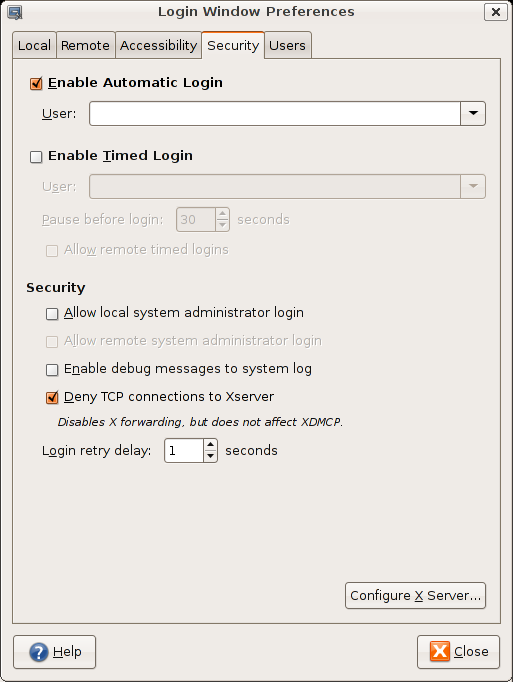
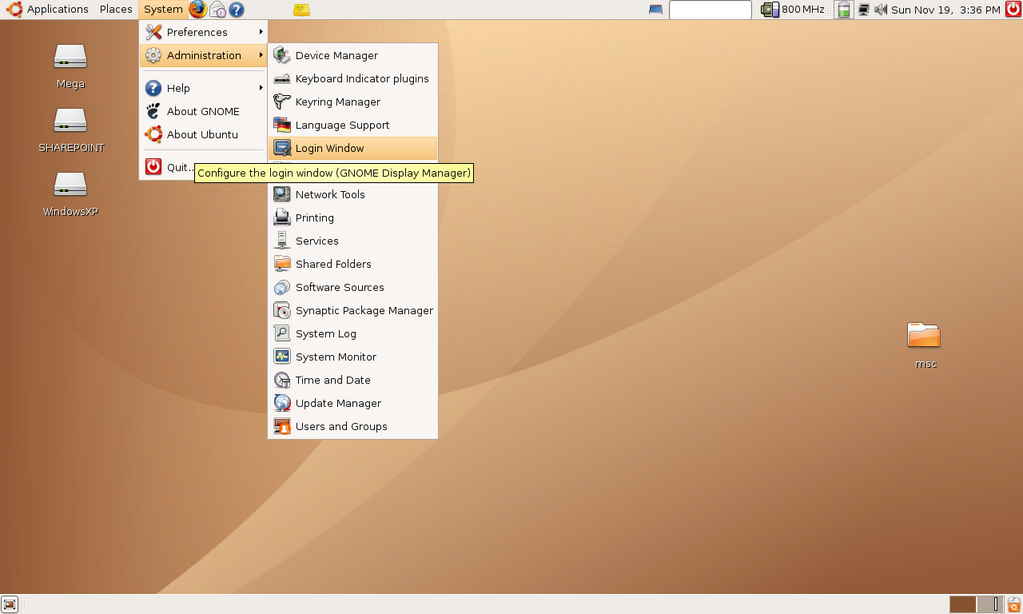
  1. First go to System,Administration. Select Login Window
  2. A dialog will appear, Select Security Tab
  3. Check Enable Automatic Login, then select the name of the default user
  4. You’re done, the next time your Ubuntu boots, you will be automatically be logged in as the default user.

This setup is ideal if you’re not sharing the computer with anybody else and the default users selected is not listed as one of the sudoers.

It is also convenience if you want to allow people to automatically log on into your pc as a ‘guest’ users without administrator privileges.
[tags]ubuntu,dapper,edgy eft,gnome,debian,linux[/tags]

Mint – Ubuntu preinstalled with mp3 codecs, flash 9 and Java plugins

mintlogo.png

Linux Mint is a variant of one of the most popular linux distro, Ubuntu with few differences. It emphasis on convenience for users to get non free softwares or softwares under patent without much hassle.

For example, out from the box Linux Mint installs allow you to :

  • Play MP3 files
  • Watch Realmedia, quicktime and encrypted dvd
  • Get Sun Java 1.5 Update 9 (and Java plugin) preinstalled
  • Surf Website with Flash 9 plugins
  • Compile application with gcc

These capabilities is also enabled in its LiveCD session.

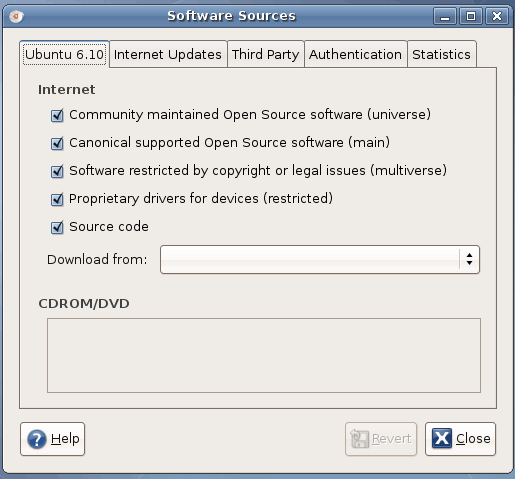
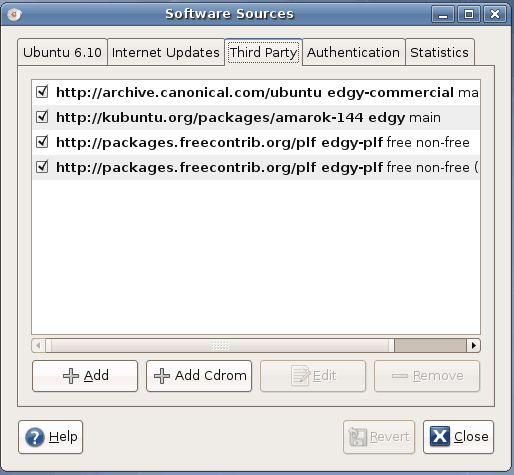
In addition, Linux Mint enables all Ubuntu repositories including Multiverse (non-free) and Universe repo as well as other binary only 3rd party repositories. However, the presence of binary only package means that Linux Mint is only available for x86 32bit platform only.
The latest release of Linux Mint 2.0 is compatible with Ubuntu Edgy Eft which it is based upon. Linux Mint is created for the convenience of users who have hard time to part with non-free plugins or software.

You can think Linux Mint as the opposite of gNewsense which I’ve reviewed earlier which emphasis on having only 100% free software on their distribution.

[tags]linux,ubuntu,edgy eft,opensource,livecd,distro[/tags]

hacking dict.org with ubuntu linux

I got bored one day and decided to try out some of the functionalities offered by the dict.org server. Dict is dictionary server protocol designed to give access to definitions from a set of natural language dictionary databases.

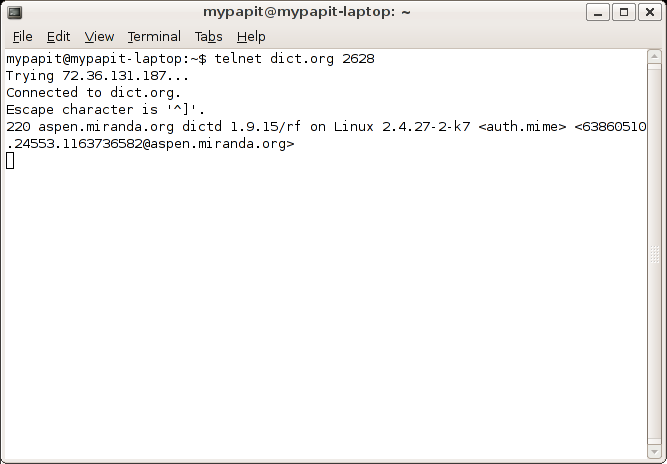
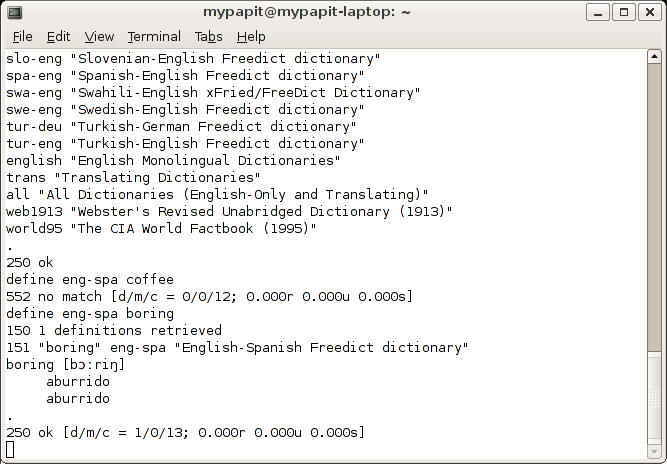
Here’s how I access dict.org server using only ‘telnet’ application available on my Ubuntu desktop.

  • Launch a terminal app, telnet to dict.org port 2628
  • List all available dictionaries by typing “show db”
  • Get definitions of word using, “define [dictionary] word” (define wn boring)
  • In this case i choose ‘boring’, since I’m pretty bored at this time to do this stuffs
  • For more dict commands, please refer to RFC 2229

Screenshot dict on Linux

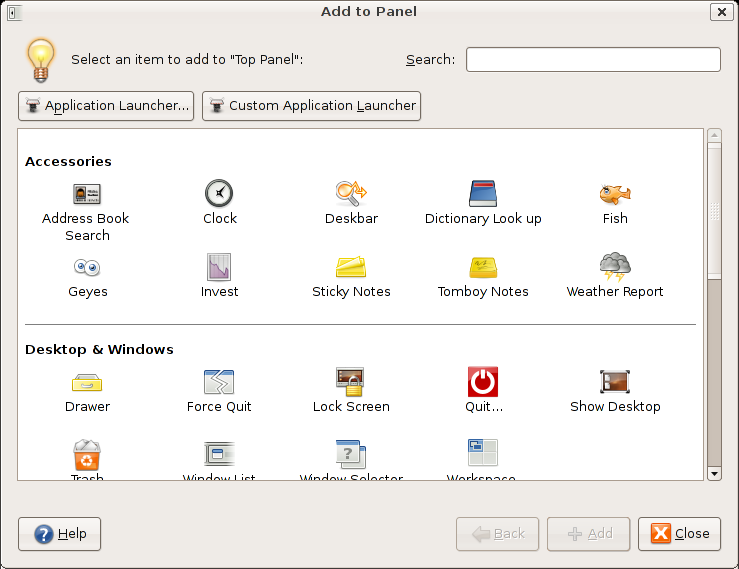
A friendly dict client (named “Dictionary Lookup‘) is included as a panel applet in Ubuntu. You can easily lookup word definitions from your desktop panel :

And with the information on the RFC 2229, i’m there’s a lot more of dict clients out there, that might suit your needs.
[tags]ubuntu,debian,dict,dictionary,rfc[/tags]


gobby – Collaborative programmers text editor with chat function

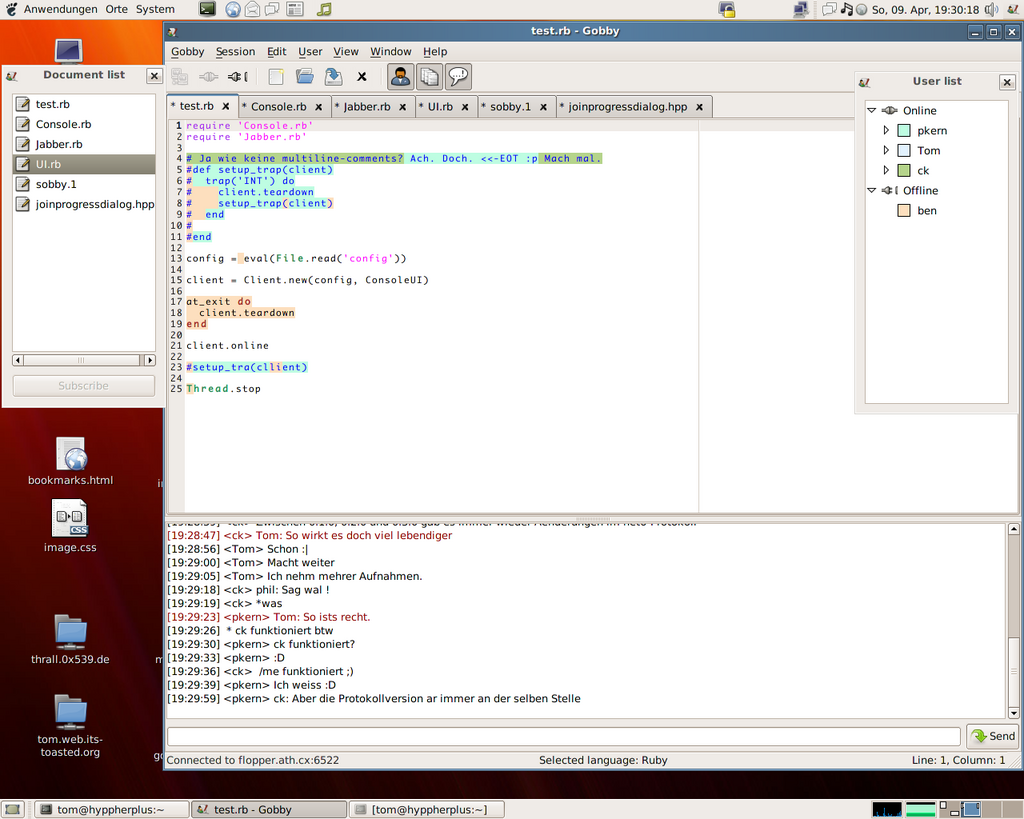
gobby is a cross-platform programmers text editor which supports real-time editing with another user. Gobby features syntax highlighting for most programming languages (c, perl, python, java, ruby, etc) and has IRC-like chat interface for communicating with your partners while coding.


Gobby functionality as a collaborative text-editor makes it possible to work on the same code with your partners remotely, combining coding efforts while working on the same application.

Additionally, gobby also has document synchronisation feature that allow both you and your partner keep documents updated in an efficient manners.

gobby was developed using GTK+ library and available in GNU/Linux, Microsoft Windows and *BSD operating system.

Gobby Project Website

Sun has Open Source Java under GNU/GPL

After a long wait, Sun has finally released its key Java implementations – Java Platform, Standard Edition (Java SE – OpenJDK), Java Platform, Micro Edition (Java ME – phoneME) and Java Platform, Enterprise Edition (Java EE – Glassfish) under the GNU General Public License version 2.0.

Maybe this news is insignificant for some, but finally i can run a completely free (as in free speech) Java platform in my operating system. I use a lot of Java in my hobby of developing mobile phone apps, and yes, I’d like to see the open sourced phoneME feature MR1 (JavaME implementation) running on my Ubuntu.

Hopefully by the end of next year, I’ll be able to install Sun OpenJDK on my GNU/Linux workstation from my distro’s software repositories.

p/s: Additionally, James Gosling – Father of Java has announced in his blog that they have made Duke the Java mascot images free under the revised BSD License. You can get Duke’s images at https://duke.dev.java.net/.

[tags]java,open source, openjdk, javame, j2me,gnu/gpl[/tags]