Solaris is not just an Operating System

I found this signboard on one of the university in Malaysia. It seems that here, Solaris is more than a merely operating system but a distro bistro! Wonder if Sun Microsystem will take action if this bistro is located in the United States?

[tags]sun,solaris,operating system[/tags]

Linux Command by Examples

Today I want to introduce you to another excellent website from a bunch of nice people that I know, Linux by Examples. Unlike other GNU/Linux related site, this blog teaches you on how to use common Linux command by giving simple, practical example that are easy to follow.

The GNU/Linux commands are also grouped by categories according its functionalities such as :

  • Administration
  • Archive
  • Developer
  • Network
  • Text Manipulation

and other common commands.

The examples presented in the blog itself are easy and simple to follow, and is accompanied by step-by-step explanations from writer.

I suggest that you have a look at Linux By Examples website and bookmark it for future reference, because it can be a handy in the future :)

[tags]linux,tutorial,guides,example, command-line, linux howto, howto[/tags]

Read and Write NTFS filesystem with Ubuntu Linux

This is one of the most popular questions that, previously i would suggest using the native NTFS linux kernel driver, but the driver itself only has a limited write support.

The best way to enable writing to NTFS partition is with the ntfs-3g userland driver. It uses the fuse driver and although still in BETA, tests proven that the driver really works for writing into ntfs partition.

For Ubuntu users, all you need to do is follow the instruction given in this website : https://wiki.ubuntu.com/ntfs-3g

I’ve tried it, and it worked perfectly with my machine, no need to depend to intermediate FAT32 partitions to transfer files from Linux. But one? word of advice, although it seems to work, you still need to keep in my that the developers of ntfs-3g driver still consider it in BETA release, so be advice and don’t rough it up too much :p

[tags]linux,ubuntu,debian,ntfs,fuse,kernel,linux kernel,filesystem,filesystems[/tags]

Install Java 5 SDK and Java JRE in Ubuntu

Installing Java Runtime and SDK has been made easier with Ubuntu Linux. Here’s a quick tip to install Java 5 SDK or Runtime in Ubuntu Linux.

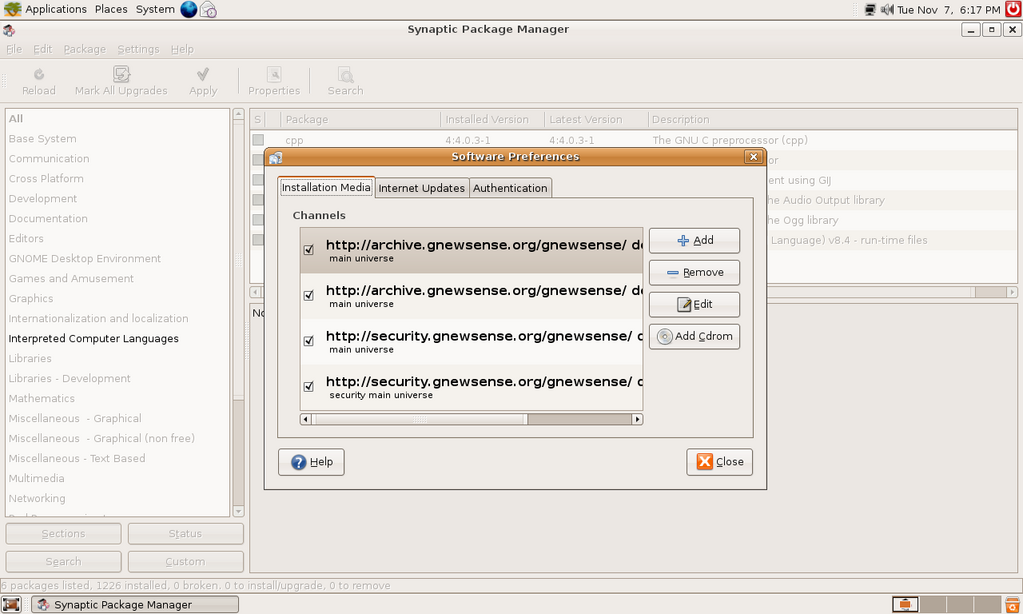
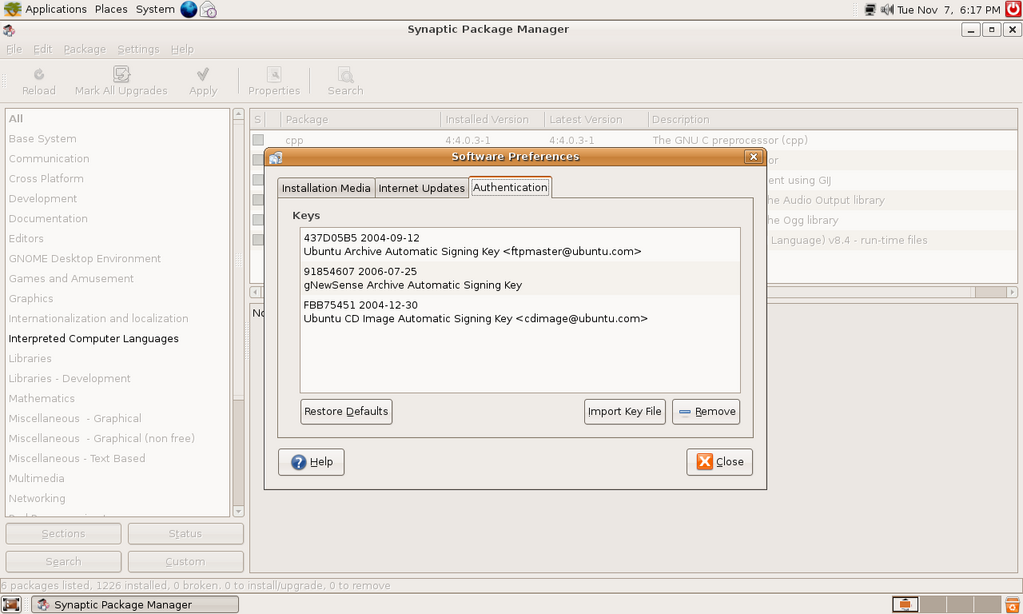
1. First, go to System->Administration->Software Properties,

Check all options/channels

2. Close the dialog, and go to System->Administration->Synaptic Package Manager

Search for Java package,

Select sun-java-sdk, and install the package,

Continue reading “Install Java 5 SDK and Java JRE in Ubuntu”

Howto Speed Up Ubuntu Booting process

I’ve a friend of mine complained about how Ubuntu and other GNU/Linux distro boots slowly compared to Microsoft Windows. I told him this is because Ubuntu and other GNU/Linux distro tend start services that generally safe for average users.

He then told me about how he can customise Windows XP startup process and disable the services that he don’t use. Actually there’s a way to do that in Ubuntu too. Just go to System->Administration->Services, and disable whatever services that you don’t need .

Continue reading “Howto Speed Up Ubuntu Booting process”

SQLyog – Open Source MySQL Manager GUI for Windows

I’ve been busy for the past week, but during my absent, I’ve the opportunity to test SQLyog, a powerful MySQL manangement tool from Webyog.

The application has the same functionalities as the popular web based phpMyAdmin, plus some other neat feature that usually found in enterprise level tool.

?
The application lets you organise the database, create indexes, views, manage stored procedures and database triggers. SQLyog also can help you to manage backup and make copies of your database across different host.

SQLyog itself is suprisingly responsive compared to similar product produced by well-known database vendor. Being developed using C++ language and using MySQL C API, the client has direct access to MySQL, which makes it run faster.

Another worth noting feature is the Migration toolkit which allows you to migrate existing database from other DBMS (i.e DB2, Oracle, MS-SQL) via ODBC interface.

Download

SQLyog can be downloaded from its website : http://webyog.com/en/downloads.php

The source code can be obtained from Google Code project repository, via Subversion.

p/s : It would be nice to have this kinda of application on GNU/Linux platform, maybe some people would complain that it isn’t 1337, but I think people working with GNU/Linux? deserve conveniences.
[tags]sqlyog,database,mysql,php,linux,windows[/tags]