Sharing files are easy with Dropload!

Ever having the problem of trying to send a file to one of your friends but nothing worked out? Like firewall which excludes you from sending it through your IRC or Instant Messenger.

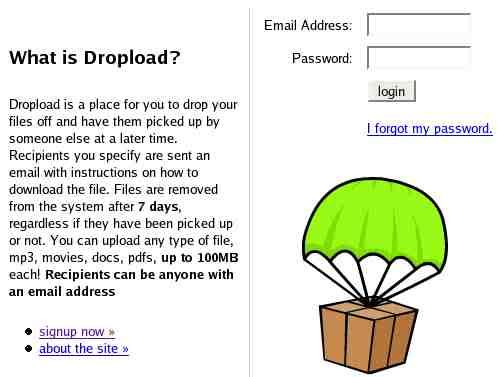
Well Dropload might be right for you! Dropload is a website which offer “pickup” service for the users in the internet. You can put many types of files such as mp3, movies, word docs, zip, pdf and etc. The catch is that the maximum amount of you can put there is 100MB and all the files will be deleted within 7 days regardless whether your buddy pick it up or not.

The signup procedure in Dropload is suprisingly fast! I was thinking that i would fill a dozen of textbox before I actually can use the service, but then I was wrong. Dropload is easy to use, you basically upload your files there, and Dropload will email your friend with the link to the uploaded file for him/her to download it.


dropload website

Whoa? What’s wrong with GMail? ok, first of all, not many people have GMail, and another good reason is GMail only allows 10MB worth of attachment. Not to mention that GMail limits the type of attachment you can send with your email.

So for those out there, if Gmail or Yahoo-mail does not suit your needs, then Dropload will. Visit Dropload Website to take a closer look at their service.

Nvidia Riva TNT2 M64 32MB for sale!!

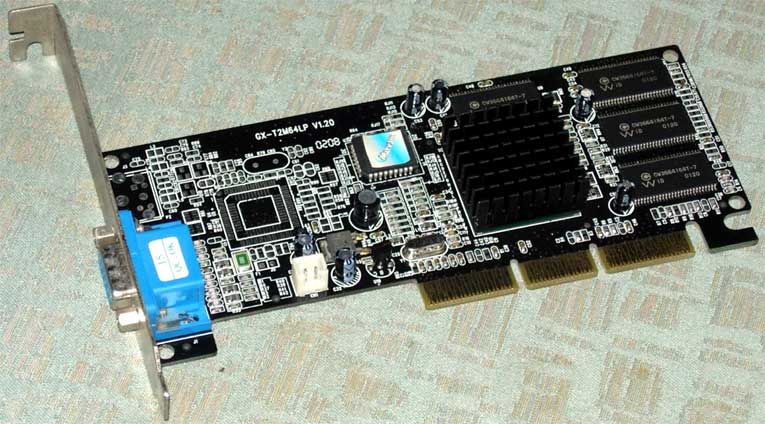
I’m broke and i want to loose my Nvidia Riva TNT2 M64 graphic card for only RM35 plus shipping cost (via pos laju). If anyone interested of having this graphic card, you can contact me via this blog or email me.


mypapit Nvidia Riva TNT2 for sale

Details as follows :

  • Bought in Feb 2003
  • 7 days personal warranty
  • Includes latest Windows XP/2000/ME/98 and Linux drivers
  • This thing works and support 3D rendering and last tested on 12 July 2005
  • Selling price : RM35 plus shipping via pos laju

Nvidia graphic card is a widely use and known graphic card. They have driver support for various operating system platform including Microsoft Windows, GNU/Linux and FreeBSD. Nvidia offers regular driver updates from their website and they give good 3D graphic performance.

I want to sell off this graphic card because I bought another graphic card and I dont have any computer to put this graphic card on.

If you buy this graphic card, I will include free Knoppix 4.0 LiveCD as a bonus!

Anybody interested?

WTF is ROTFL?

WTF is ROTFL?

Ever wonder what those geeky acronym means? What about RTFM, SNAFU, IMHO and OTOH? Those acronym are popular on the geek world and for some people who are newbie, they are hard to decrypt.

Certainly there are places where you can refer those acronym, but generic English dictionary isn’t one of it.

Enter wtf, a geek acronym definition finder. You can download it from http://www.mu.org/~mux/wtf/. It can be handy to use if you came across those rather cryptic acronym while reading the newsgroup or while on IRC.

The wtf is made of bourne shell script and should be portable on platform that use it’s variant (bash, ksh, zsh, ash, etc). Installation is simple, just :

$ tar -zxvf wtf-20050505.tar.gz
$ cd wtf-20050505
$ chmod 555 wtf
$ su
password: <you entered your r00t password>
# install wtf /usr/bin
# install acronym /usr/share/misc/acronym
# exit

Hey, that’s unix! I want to run it on my own M$ Windows XP 32 b33t! I grow up with M$ products!

oops, maybe I forgot to mention that you could run it in any environment that offers bourne compatible shell. I suggest you install MinGW or CygWin on your Windows pc and proceed with the above installation step.

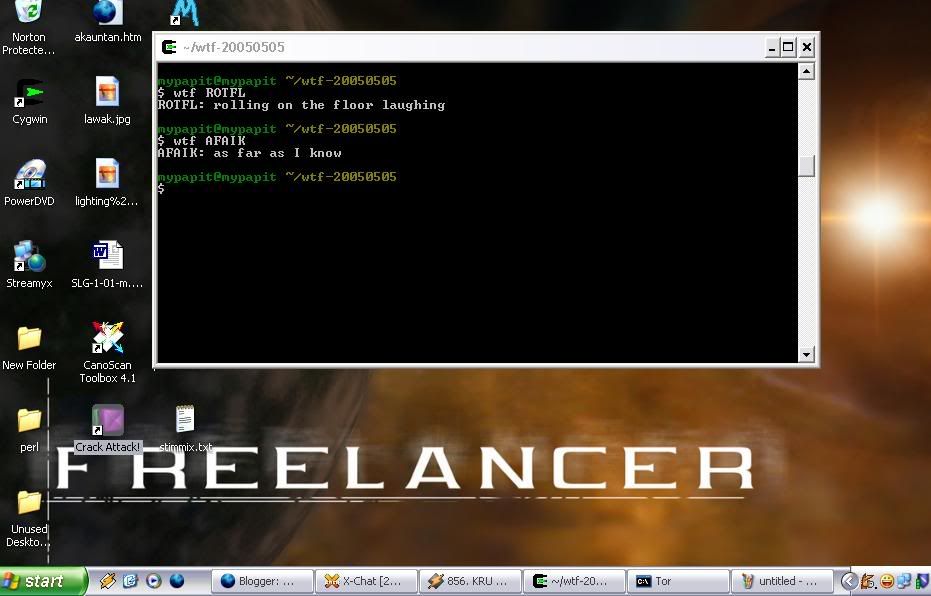
Here’s the screenshot of my Windows Desktop running wtf inside CygWin.

Wtf Screenshot on mypapit desktop

Fancy huh? Guess you dont have to STFW to find cryptic acronym anymore….

p/s: Greetz to El-Lotso for pointing out wtf to me

Create your own favicon.ico online!

Ever wonder what’s favicon.ico is? favicon.ico is a small icon which appears on the left side of your browser address bar when you surf certain web page like this :

Before   After

I found an interesting webpage which allow you to create favicon.ico online and put it in your webpage.

The website interface is easy to use. You just have to select which picture you would like to create the icon for and click “Generate favicon.ico”.


favicon tutorial

After that, you may want to download the generated favicon.ico, and upload it to your website. Then, to display the icon next to your webpage name, you need to include this line in between your <head> </head> tags :

<link rel="shortcut icon" href="favicon.ico" >

Alternatively if you like, you could (offline) produce favicon.ico file from png files, provided that the png files dimension are multiples of 8.

First download this program png2ico. Then, you can create a png file (or use readily available gnome png icon hehe). Finally, you can run the png2ico program on the png files by typing :

png2ico favicon.ico tux.png

After that, you will find yourself having a Microsoft compatible icon file. Generated from PNG!

What? you don’t know what is PNG? It’s an image format similiar to GIF files. Well, you can always look here Portable Network Graphic.

For other instructions generating favicon.ico, please refer to : DumbWebProgrammer

Wow! New Look, Same Content

Today, I finally got the time and guts to completely redesigned my blog using css. Well the result of the work is satisfactory for me, considering it’s the first time I use css completely to redesign a website.

I have reorganize my fellow bloggers’ links into alphabetical order. Manage to fix the “CSS Tooltips” bug, now it works in Internet Exploer! I reduce the extensive decorative graphics and slim down the css files to bare minimum.

You can say that I’m satisfied with one day work on my own blog including redesigning, debugging and testing.

Though I can call it a day, but the blog still have some rendering bug with Internet Explorer 6, I dont have access with other version of Internet Explorer though. The css standard is not equally implemented across the browsers.

Next, I’ll implement the Mozilla prefetch optimization on selected links in my blog, to enhance users experience while using my blog.

Till the next time….

Shattered CD

One day, in my (a bit) messy and poorly lit room…

“I thought the last time you said, it’s hard to post a cd out from your place”

“Relax, this time is different, I’ll use SpeedPost. The sample CD and the instructions will arrive in your doorsteps before you know it. Besides, I need you to have the CD”

“Uh, ok…”

“Great, it’s settled then. Contact me back when your received the sample CD, bye. *click*”

And so, I waited. I was skeptical of my colleague from singapore is going the sample cd all the way from Singapore. Well, since singaporean customs dept are so fuss when you bring in/out any type of cd along their border.

Just after, I finished my skeptism thinking, the postman arrives at my house. I went out to get the package, and after that I signed my name and other legal stuff.

I hold the package and I felt like everything is intact inside it. Hey, maybe my colleague was right, SpeedPost is indeed different and their service is very fast!

Unfortunately after i opened the package, pieces of plastic and shiny coverpaint dropped out into my carpet. The CD was shattered….

mypapit shattered cd

I guess there goes my colleague’s sample cd. SpeedPost service is undoubtfully fast, but it seems that the CD’s structural integrity wasn’t able to compensate the rigorous travel of high warp they offered.

hmm…