
Greetings fellow Ubuntu users, I’ve brought some good news to you for those who prefer to use Opera over Firefox. Now you can get your favorite browser running in your Ubuntu Dapper without much hassle.
Canonical ( independently from Ubuntu community ) has announced the ubuntu dapper commercial repository which houses Opera web browser, among other softwares. Interested? Here’s how to setup canonical repository in Ubuntu :
- From Desktop, go to System->Administration, select Synaptic Package Manager
- Select Setting->Repositories from Synaptic, a dialog appears
- Click Add then Custom, another dialog appears with a textbox that reads APT line:
- put “
deb http://archive.canonical.com/ubuntu dapper-commercial main" - Click Add Channel, then Close
- Click Reload at the top left corner of the Synaptic application.
- Now you can install Opera to Ubuntu from synaptic
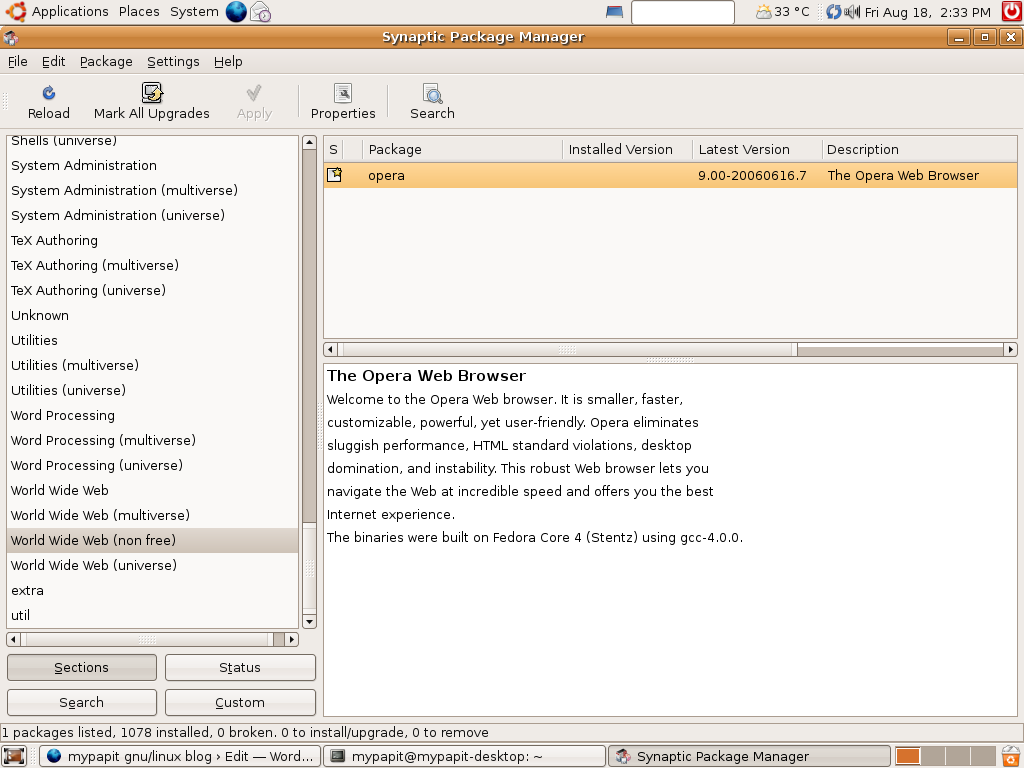
Note : you can also install Opera from command line by entering the following line from the terminal.
sudo apt-get install opera
Did I mention that Real Player 10 is also included in the repository?
Have fun !
[tags]opera,ubuntu,realplayer, real player, debian, linux, repository, canonical,repositories[/tags]
nowy u?ytkownik
lol yeah, that’s the drawback of binary only package. Nobody builds them for 64bit edition :D
Actually I think I figured it out. Opera isn’t available for 64bit dapper is it? :P
Have you add the line
“deb http://archive.canonical.com/ubuntu dapper-commercial main”
in your /etc/apt/sources.list ?
hint: edit the file by typing “sudo gedit /etc/apt/sources.list” at the console, then add the line at the bottom of the file.
You can follow the step 1-5 described in the post using only synaptic
For some reason this won’t work for me. Opera just doesn’t appear