The Mystery Behind Ubuntu Release Name

Ubuntu users are no doubt familiar with the unique and funky name for its releases (Feisty Fawn, Breezy Badger, Hoary Hedgehog) in which it is more popular than the release number (7.04, 6.10, 6.06). Most people tends to remember the codename when refering to a particular Ubuntu release (such as Ubuntu Dapper as opposed to Ubuntu 6.06)

The main reason codename is used because it is easier for humans to memorize names compared to release number (hence the motto Linux for human beings). he same codename is also used as development name during initial buildup stage. Using the same codename has the advantage of reducing potential confusion that might arise from the different development/release name pairs.

Though the Ubuntu Wiki Page explains how codenames are formed, it doesn’t reveal the technique of naming the release is known as Alliteration.

The use of Alliteration
Alliteration is a form of mnemonics that uses the same alphabet (consonant) in two consecutive words, like Peter Parker and Lex Luthor. Phrases that use alliteration is easier to remember than those that do not.

Alliteration isn’t solely used by Ubuntu alone, other brand names or products that use alliteration includes :

  • Playboy Playmates
  • Spongebob Squarepants
  • Coca-cola
  • French Fries
  • Kit Kat
  • Pontiac Pursuit
  • Super Sonic
  • Take Two
  • Peter Pan
  • King Kong
  • Mickey Mouse
  • Paypal
  • Plater of Paris
  • Tic-tac
  • Ding Dang
  • Marilyn Manson
  • Kuda Kepang

Alliteration can make a phrase more memorable which explains why Ubuntu release name is more widely known than its release number (ie. How many people remembers Ubuntu Hoary release number?).

p/s: Now I know why I have no trouble recalling Paypal as a credit card processor service or French Fries when ordering chips at any fast food restaurant and Coca Cola as my favorite soft drink (yeah, carbonated drinks are not good, but at least they are not as pretentious as Ribena)

[tags]breezy badger,ubuntu,feisty,feisty fawn,linux,distro[/tags]

My Modem gone up in smoke !

I’ve a sad news to share with everybody here, my D-Link G604T ADSL modem had gone up in smoke today. I don’t know what caused it, but I suspected long duration of use (24/7) might contribute to its demise.

Now I’m stuck with the spare Kasda ADSL modem, hard to dial out, a bit unreliable but it does its job of keeping me connected to the internet.

I think i need to save some money to buy myself a new modem after this, preferably one that can operate non-stop 24/7. I heard linksys and 3com modem are good but the latter is much harder to find at my place.

Any tips on buying a new ADSL router (preferably wifi capable) ?

[tags]router,modem,adsl,streamyx,broadband[/tags]

FFMpeg based FLV to 3gp batch converter scripts

A friend from #fakap asks me to create a dead simple FLV to 3gp batch converter for him to port youtube clips to mobile phone.

As a result I complied, and created flvto3gp bash script for the job.

Usage
Using it is simple, just run this script inside a directory full of FLV (or any video files supported by ffmpeg) and execute it using this command :

sh flvto3gp.sh *

The script will convert all video files to 3gp file format one by one. The script requires
ffmpeg in order to run.

Ubuntu users might have to refer to this post before using this utility : Enable mp3 and amr support in ffmpeg ( Ubuntu )

[tags]ubuntu,flv,linux,ffmpeg,open source[/tags]

Gaim Instant Messenger project renamed to Pidgin !

Gaim the popular multiprotocol instant messenger client has changed its name to Pidgin recently. Their main reason for changing the project name because it has been plague by legal threats from AOL concerning the name of the project.

The project has also moved to a new website to pidgin.im with the old gaim website served as a pointer to the new project site.

Apart from that, the project will migrate its current version control to monotone from CVS (hosted by Sourceforge). The newly rebranded Pidgin team hasn’t disclosed the reason behind the migration of revision control system or why they chosen to use monotone instead of the more popular SVN.

Here’s the latest screenshot of Pidgin IM (formerly known as Gaim) :
pidgin_tn.jpg

About Pidgin (formerly known as gaim)
For those who don’t know, Pidgin/Gaim is a multiprotocol instant messenger which support popular Instant messenger network including Yahoo, MSN Messenger, Jabber, Google talk, AIM, ICQ and IRC.

More information about Gaim rebranding can be found here : Pidgin.im and Gaim Sourceforge website

p/s: Hopefully after this we can have the latest Pidgin 2.0 release as soon as possible since the project won’t be dragged down with the legal issues anymore.

[tags]gaim,pidgin,open source, instant messenger, yahoo messenger,linux ,opensource,ym[/tags]

New features in Ubuntu Linux Feisty Fawn

Here are some of the new features that you can expect from the upcoming Ubuntu release, Feisty Fawn.

Codec Wizard
Now you can play mp3,DVD and mpeg4 videos of yours without much hassle. Ubuntu Linux Feisty Fawn includes a cool Codec Wizard which automatically install the required codec for you when you first played the file.

Improved Network Manager
Connecting to existing network has been made easier with the pre-installed Network Manager. You can now connect to wired and wireless network with relative ease.

Windows Migration Assistant
Provide easy migration from Windows operating system to Ubuntu. Supports Internet Explorer bookmarks, Yahoo IM, AOL IM, Desktop Wallpaper and documents during installation.

Desktop Effects
The latest release includes desktop effects, making it a definite reason to try Feisty Fawn for a desktop user.

Thin Client
An attractive functionality for those that runs a computer lab, thin client server allows you. Edubuntu Feisty Fawn includes Classroom Server edition consists of two CDs, a server image and a server add-on image with additional education applications and languages complete with tips and best practices for educators.

Other than that, Feisty Fawn also includes latest software like GNOME 2.18, OpenOffice.org 2.2.0, X.org 7.2, Firefox 2.0.0.2 and Linux kernel 2.6.20.

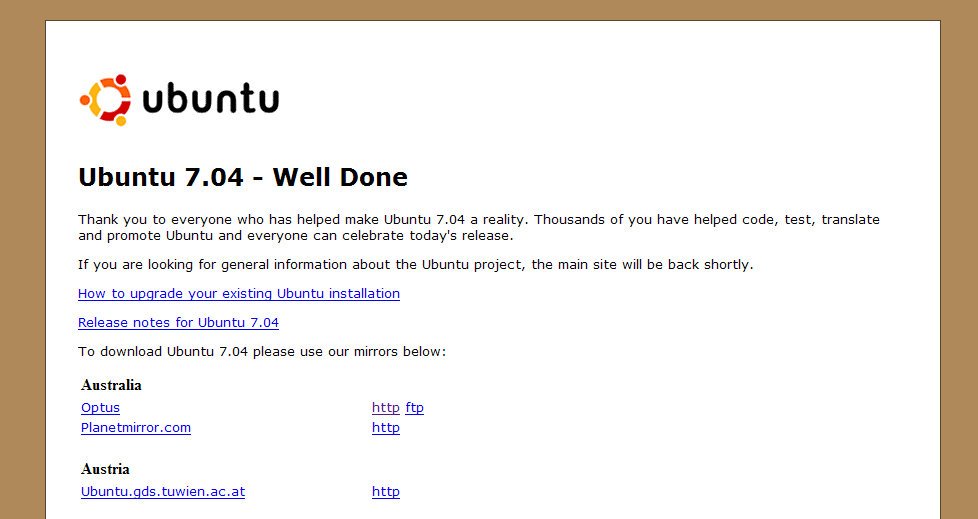
Ubuntu Linux Feisty Fawn is schedule to be released in 19 April 2007, please visit the official Ubuntu website for more information.

p/s: Most of this material of this post is taken from Feisty Fawn Beta page

[tags]linux,ubuntu,feisty fawn,feisty,debian[/tags]

ShipIt: Get Free Ubuntu Feisty Fawn CD

The month of April is here and beside fooling your friends on the first of april, let me remind you that Ubuntu Linux (7.04) Feisty Fawn release is just around the corner.

Schedule to be released on April 19, 2007. Free Ubuntu Feisty Fawn CDs is suspected to be back available from ShipIt!

Here’s the screenshot ShipIt interface.

feistyfawn.jpg

What is Shipit?
For those who are unfamiliar with the term, ShipIt is a service maintained by the Ubuntu project for the purpose of shipping free Ubuntu CD through out the world.

To order free CDs, you need to have a launchpad account and the CDs will take around 1-6 weeks to arrive, depending on where you live (and customs delays).

PowerPC CD won’t be available ?
Also it is worth noting that Ubuntu has dropped PowerPC platform from its official release, so the usual PowerPC CD won’t be available from Shipit as with previous releases.

[tags]powerpc,ubuntu,feisty,feisty fawn, debian,linux, opensource,open source[/tags]