Remember my previous post about “mysterious black box” that i’m building? Well here’s the photo of commercially available version,

Compare it with my do-it-myself (DIY) version,
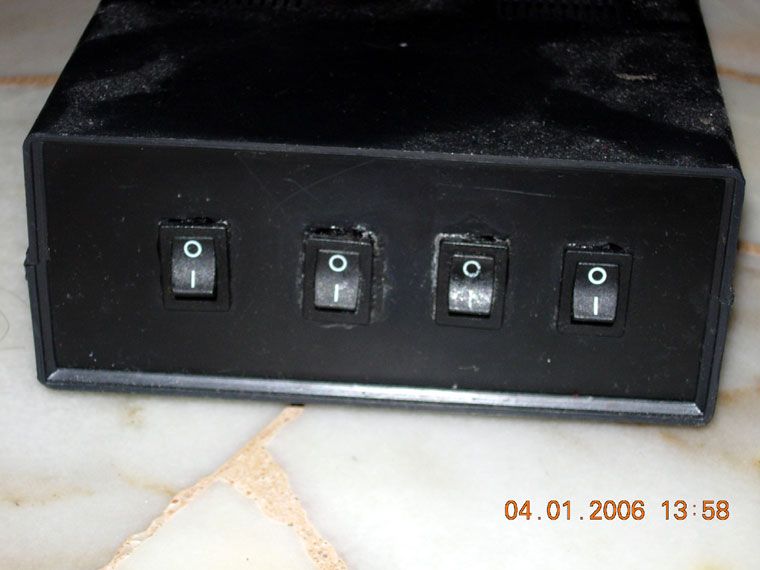
ROTFL, I’m not a skilled craftman am I?

Free and Open Source blogger with an attitude
Remember my previous post about “mysterious black box” that i’m building? Well here’s the photo of commercially available version,
Compare it with my do-it-myself (DIY) version,
ROTFL, I’m not a skilled craftman am I?
Specially made post for curious people, this is where i usually blog, the approximate location is latitude 6.120, longitude 100.377.
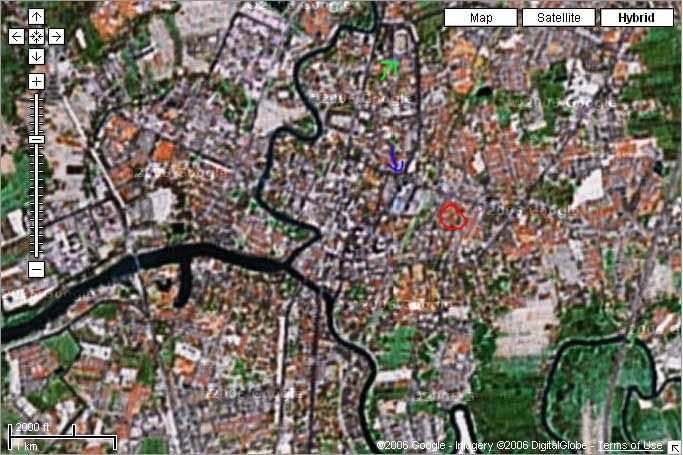
Can anybody guess the name of the place being pointed by the blue and the red arrow?
I’m sure most of you are familiar with dot-com (.com) domain name on the internet. This is because the .com domain name is the most common domain name found on the internet and it is the largest TLD (top level domain name) in use.
The .com domain name was first established in January 1985, and currently operated by Verisign. Here is the list of the oldest .com domain name that is still active in the internet :
Rank

	Create date  	Domain name
1.  	15-Mar-1985	SYMBOLICS.COM
2.  	24-Apr-1985	BBN.COM
3.  	24-May-1985	THINK.COM
4.  	11-Jul-1985	MCC.COM
5.  	30-Sep-1985	DEC.COM
6.  	07-Nov-1985	NORTHROP.COM
7.  	09-Jan-1986	XEROX.COM
8.  	17-Jan-1986	SRI.COM
9.  	03-Mar-1986	HP.COM
10.  	05-Mar-1986	BELLCORE.COM
11.  	19-Mar-1986	IBM.COM
11.  	19-Mar-1986	SUN.COM
13.  	25-Mar-1986	INTEL.COM
13.  	25-Mar-1986	TI.COM
15.  	25-Apr-1986	ATT.COM
From here we can see that the oldest .com domain registered was by Symbolics, Inc, more than 20 years ago!
Continue reading the list here : The 100 oldest currently registered .COM domains
I know some of you might already familiar with k3b, gcombust or xcdroast for burning DVD in GNU/Linux. But this time i’m going to show you how to burn a DVD using command-line tool in Linux using Ubuntu or Debian GNU/Linux as reference.
Install dvd+rw-tools. As root (in Debian or Ubuntu) execute this command,
Do this only when you want to clear out all contents.
There you go, how to burn DVD RW under GNU/Linux.
dvd+rw-tools is also available in OpenBSD/NetBSD and FreeBSD from port contributed by Matthew Dillon.
[Source]
Slashdot.org one of the popular tech website is banned from being accessed from US Military network. Why is slashdot being banned by US Military? Does it contains dangerous/harmful information to its personnel?
The real reason for it being banned is unclear, but from an article in Newsforge, it is understood that the ban is caused by Slashdot.org being miscategorized as Newsgroups by Blue Coat, a standard web proxy tool used by the US Military.
Well to me, this is not the first thing happened with web filtering software miscategorizing websites. I had tons of problem with annoying softwares that banned unnecessary websites mostly because they use broad keyword match to ban a website, *sigh*.
I rather wait for my pc to be back online again, rather than to use a pc with annoying web filtering software/proxy.
Bad news for me (or to those who frequented this blog), my personal computer just died last night. Its final SDRAM stick just fails, I don’t have SDRAM spares anymore and perhaps this is it. I’m going to shop for a new motherboard that supports the more common and better DDR-RAM and of course a new motherboard.
I may not have enough budget to spend for a new processor though one of AMD CPU cross my mind. Hopefully I can settle for a price that I can afford since not having my own workstation really drags me out because I can’t realise my creativity and thinking to its fullest potential.
To readers who frequented my blog, please bear with me while I’m reviving my workstation. I might post an update or two here but it may not be as juicy as the usual post. :p