Blackbuntu is a Ubuntu-based distro used for penetration testing and security auditing. Blackbuntu is designed to be used by students and practitioners who are interested in the field of information security.
Blackbuntu tools are divided into several categories:
Information Gathering
Network Mapping
Vulnerability Identification
Penetration
Privilege Escalation
Radio Network Analysis
VoIP Analysis
Digital Forensic
Reverse Engineering
Miscellaneous
Which includes these tools among others: Lanmap2, nmbscan, dnsmap, fierce, hostmap, ltrace, tctrace, sqlbrute, sqlmap,sqlninja, mysqloit, sqlcheck, wfuzz,xsser,xssploit,jmeter, nikto2,skipfish,wbox, autopsy,scalpel,mboxgrep,galetta,afstats, wepcrack,giskismet,fakeap,aircrack-ng,cowpatty,bluebugger,bluescan, bluesnarfer, iwar,protos-sip,sipcrack,brutessh,hydra,sshater
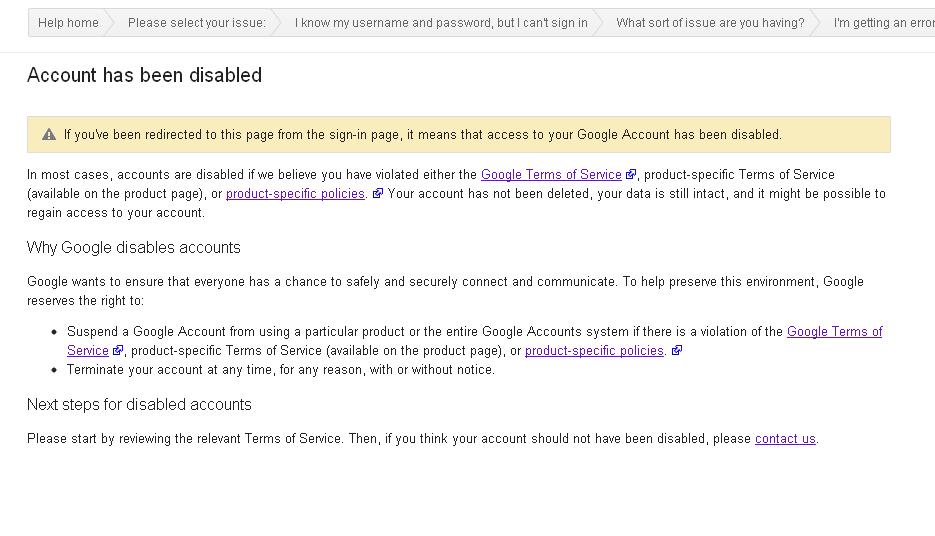
Recently I managed to get my gmail account disabled by Google. At first, I didn’t think that it would be a big deal since free email account can be registered every now and then, if it managed to get disabled/suspended.
But…. It turns out I WAS WRONG.
See, when Google disabled a Gmail account, it also disabled all other accounts that associates with that account, including (but not limited to) :
Youtube (your videos will be inaccessible)
Blogger (all your blogs will be made inaccessible)
Google+
Google Play / Android Market (partially affects your Android phone and contacts, your paid apps will not be available)
Google Drive / Google Docs (you won’t be able to access your files /documents)
Google Code (loose access to your code repo)
And anything that is related to Google service
How does a Gmail account gets disabled ?
Officially Google states that each accounts holder must comply with Google Terms of Service.
Unofficially, there could be tons of reasons why Google disable a particular Google account, which includes:
Suspected partaking in spamming activity
Age factor (based on D.O.B data entered, those under 13yrs old aren’t allowed to use Google
Suspected using illegal credit card (in case of purchasing through Google Wallet or Google Pay)
When Google suspect that your account has been compromised
etc…
Anyway, they didn’t tell me exactly what I did and why they disabled my account (they tell me that they won’t disclose details to avoid their automated system from being compromised by hackers).
What they do is ask me when the last time I access my account, using which browser and what are the things that I do with my Google account recently before my account being disabled.
After that, within 24 hours, my account has been restored! So if you find yourselves in similar situation, then you should try get some help from Google Products (Gmail) forums. The people there are helpful, as long as you don’t get too emotional and push them too much.
Note that you should understands the Google Product Terms & Policy when you are using any Google Products. Because from what I’ve seen from the forum, there are also those who aren’t as lucky as I am, getting their accounts permanently disabled. Once it is permanently disabled, there are absolutely *ZERO* chances of recovering your precious data.
The latest Ubuntu 12.04 LTS is going to be released in (28 April 2012), that is less than a week! The latest features of Precise Pangolin are:
1. Linux Kernel
Ubuntu 12.04 will use a kernel based on the 3.2.12 upstream Linux kernel, which include a patch that makes Linux powered laptop consumes more efficiently
2. HUD – Intelligent search feature in Ubuntu 12.04
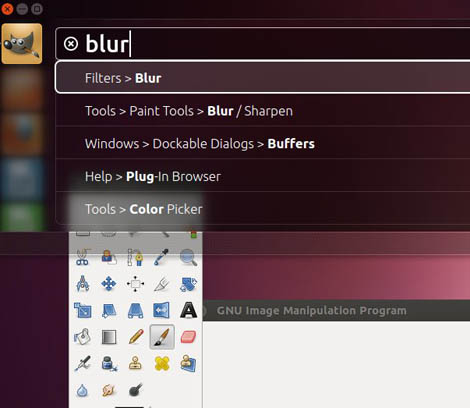
Stands for Heads-up Display, HUD can be used to search for items in the menu bar in most applications. For example, if you are looking for a particular menu (or functionality) in GIMP, but can’t quite recall its position, you can use HUD to search it. Pictured here here is an attempt to search for ‘Blur’ filter for GIMP.
Currently HUD only works with application that supported Global menu, which means you can’t use it in LibreOffice.
3. Rhythmbox replaced Bansee as the default multimedia player
A decision came during the last Ubuntu Developer Summit (UDS). This move is connected to the new community decision to remove Mono and any application that depends on it from the default installation.
Another casualty is Tomboy note-taking application and gbrainy (game) which also depends on Monoi
**personally, I find depending on Mono application could be problematic, moreover those applications aren’t taking advantage of the ‘portability’ of the .NET platforms (It can’t be used on Microsoft Windows either, not without extensive hacking). So what’s the use of including Mono application on Ubuntu, except for bloating distros?
4. Global Privacy Settings
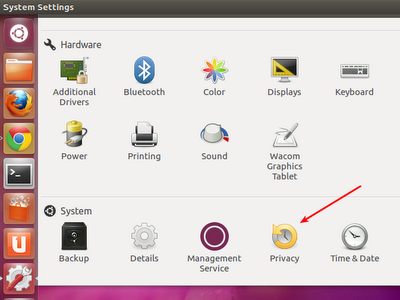
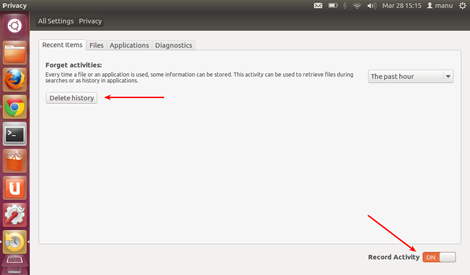
Ubuntu 12.04 LTS features “Privacy” option in the System Settings screen. The new Privacy Menu gives users the option of turning off History recording for users activities with a click of a menu.
Users may also disable activity recording for a specific group of applications (Instant Messaging, Web browsing, Office Documents, Emails and Multimedia), note that this option *MAY* only work on application that comes with Ubuntu default-installation.
5. Ubuntu *.ISO installer will exceed CD-ROM size
CD-ROM was used as installers on computer platform since 1994, back then the 650MB storage was larger than the average hdd capacity of around 320MB-500MB. The practice of releasing CD-sized ISO have since followed Linux distro for years, well after DVD drive and DVD-writers have become common.
Starting with Ubuntu Precise Pangolin (12.04 LTS), Ubuntu *.iso sizes will not fit CD-ROM anymore. it’s ISO size is estimated to be around 750MB to 800MB. Users may burn the ISO on DVD or use utilities such as UNetBootin to create bootable USB Drive.
My Thoughts
I think Ubuntu is going strong on this release with vast improvements on the usability, especially on the aspect of the UI user-friendliness to those who are new to GNU/Linux. However, I still thinks that Unity UI (and to the extend, the Ubuntu Software Center) is VERY SLOW even when running on a modern system as it took about 10 seconds to load Ubuntu Software Center.
Frankly, I think Ubuntu and the general GNU/Linux desktop community should improve the perceived latency of its UI first in order to persuade people to use open source operating system.
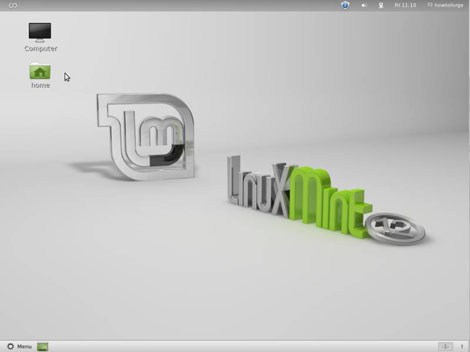
Linux Mint ‘Lisa’, a popular Ubuntu-based distro has been released! The most noticeable feature of Linux Mint is the inclusion of GNOME 3 desktop environment that emulates the look and feel of GNOME 2 desktop. Additionally ‘Lisa’ includes MATE, a GNOME 2 fork with various enhancements, including the ability to runge GNOME 2 and GNOME 3 on the same system.
The standard GNOME 3 installations comes with Mint GNOME Shell Extensions (MGSE), a desktop layer on top of GNOME 3 that makes possible to use the desktop environment in a traditional way.
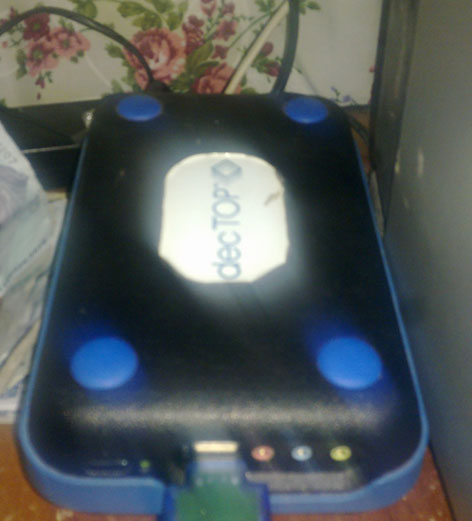
After upgrading my AMD decTOP with 160GB hdd, I’ve decided to install a fresh new operating system on it for some side-project that I’m working on. I choose to install Debian GNU/Linux 6.0.3 (Squeeze) on the machine.
The machine is currently running lighttpd web server with PHP5, samba server and sshd (using public-key authentication).
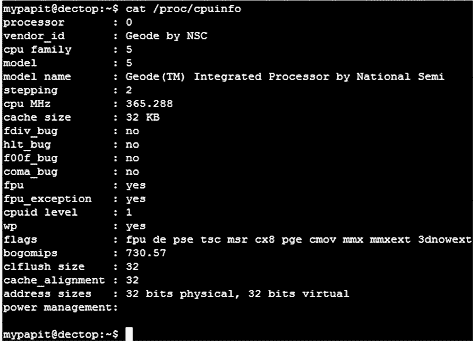
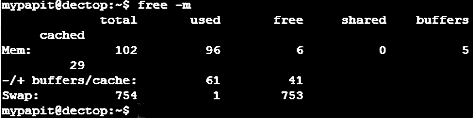
The specs of the machine are outlined in the screenshot.
Desktop Ubuntu users may have several ways to generate entropy relatively secure GPG keys (=>2048 bits), usually by moving the mouse and by typing random words. However this creates certain problem, for command-line user (especially those who are connecting through remote VPS connection).
Here’s a tip on how to produce enough entropy for GPG key generation:
apt-get install rng-tools
rngd -r /dev/urandom
then, proceed to generate GPG keys as usual: gpg –gen-key
Hopefully this tips will help you get by generating GPS keys over those VPS connections!