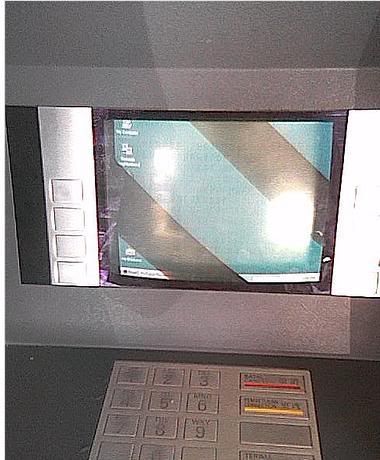
Check out my latest chicks in the house. Aren’t they cute? I just found out that they were hatched just after raya. Nah, this is going to be my last batch of chicks, after this all eggs will be taken for consumption. >:)
BitlBee – turn your IRC client into multiprotocol Instant Messenger client
Check out BitlBee, IRC gateway that can turn your irc client into a multi-protocol Instant Messenger client!
The main motivation behind BiltBee is to enable console users to use a multi-protocol Instant Messenger client. Since irc clients is common in console environments, so BiltBee is implemented as a gateway server, so that a user can connect to their favorite IM networks as if connecting through an irc server.
BiltBee server is available under GNU/Linux and Microsoft Windows platform. It supports MSN, ICQ, Jabber, AIM, and Yahoo! IM networks.
You can connect to public Bitbee server through CGI interface at http://cgi.bitlbee.org if you don’t want to install BitlBee in your computer.
BitlBee Screenshot :
Oh, BitlBee is licensed in GNU General Public License.
Ho ho ho, Selamat Hari Raya Aidilfitri everybody!
Selamat Hari Raya to you all! I just finished decorating my house and moving new furnitures. Quite a tiresome day actually in the eve of Hari Raya, so today i’m planning to sleep early (<12 am) .
So Selamat Hari Raya to you guys, and Maaf Zahir dan Batin.
p/s: Kad Raya images stolen from Little Alya’s gallery hehe
Import Blogger.com post & comments to WordPress
Moving from Blogger.com post to WordPress is rather painless for me, thanks to the import-blogger script that comes with WordPress package. However, the default script does not import the previous Blogger comments, which is rather dissapointing for some who will miss the valueable comments.
However, i found out that this script will help you to export all blogger posts and comments to WordPress with relative ease. You just need to select “Save As” to save the file import_blogger.txt to import_blogger.php and overwrite the original import-blogger.php script. What you need to do next is point your browser to http://yourwordpress.com/wp-admin/import-blogger.php, and follow the rest of the instructions there, you’ll be having your old posts and comments on your WordPress account in no time!
I’ve tried the scripts and i’m very satisfied with the results! Good luck in migrating!
Mypapit GNU/Linux Blog is now in WordPress!
Hello guys, I’m announcing that “Mypapit GNU/Linux Blog” is officially migrated to my own server, and will be using WordPress from now on. The new blog is now accessible using the url http://blog.mypapit.net.
The RSS 2.0 feed url remain unchanged that is http://feeds.feedburner.com/mypapit, please inform me if your subscriptions is interrupted by this change.
Selamat Hari Deepavali
Selamat Hari Deepavali to all of my Hindu blog readers ;)