Backup your Gmail account in Ubuntu Linux with gmvault

This is a follow-up of my previous post “What to do when your Google disabled your Gmail account?“.

Here’s how to download all emails from your GMail account with Gmvault:

Download and setting up gmvault

1. First you need to install python-pip
[bash]
sudo apt-get install python-pip
[/bash]

2. Then using ‘pip’, install gmvault
[bash]
sudo pip install gmvault
[/bash]

3. Finally you can sync and backup GMail accounts with ‘gmvault
[bash]
gmvault sync your_username @ gmail.com
[/bash]

4. gmvault will ask you to authenticate yourselves with GMail, and after that, the syncronization process starts. gmvault stores all the gmail backup in the ‘gmvault-db‘ directory.

p/s: Some users encounters error telling that the “All Mail folder is not visible”. You can enable All Mail folder visibility by checking the “Show in IMAP” box in Settings->Labels. Also, IMAP access should also be enabled for this to work.

p/s 2: It might not be obvious right now why you need to backup your emails when Gmail has gigabytes of storage. But according to Gmail discussions group, Google can and might disable access to all of its services, locking the users out from their emails forever.

What to do when your Google disabled your Gmail account?

Recently I managed to get my gmail account disabled by Google. At first, I didn’t think that it would be a big deal since free email account can be registered every now and then, if it managed to get disabled/suspended.

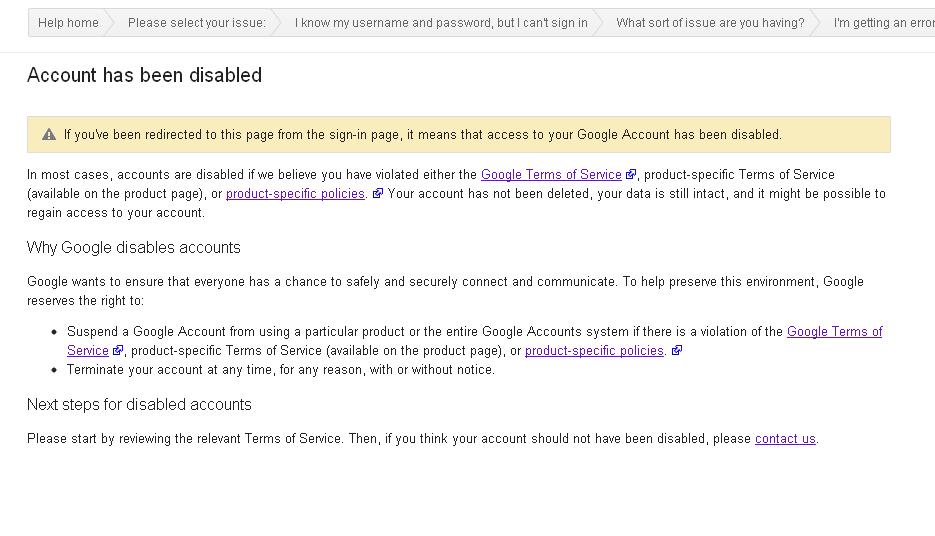
gmail disabled

But…. It turns out I WAS WRONG.

See, when Google disabled a Gmail account, it also disabled all other accounts that associates with that account, including (but not limited to) :

  • Youtube (your videos will be inaccessible)
  • Blogger (all your blogs will be made inaccessible)
  • Google+
  • Google Play / Android Market (partially affects your Android phone and contacts, your paid apps will not be available)
  • Google Drive / Google Docs (you won’t be able to access your files /documents)
  • Google Code (loose access to your code repo)
  • And anything that is related to Google service

How does a Gmail account gets disabled ?

Officially Google states that each accounts holder must comply with Google Terms of Service.

Unofficially, there could be tons of reasons why Google disable a particular Google account, which includes:

  • Suspected partaking in spamming activity
  • Age factor (based on D.O.B data entered, those under 13yrs old aren’t allowed to use Google
  • Suspected using illegal credit card (in case of purchasing through Google Wallet or Google Pay)
  • When Google suspect that your account has been compromised
  • etc…

Anyway, they didn’t tell me exactly what I did and why they disabled my account (they tell me that they won’t disclose details to avoid their automated system from being compromised by hackers).

What they do is ask me when the last time I access my account, using which browser and what are the things that I do with my Google account recently before my account being disabled.

After that, within 24 hours, my account has been restored! So if you find yourselves in similar situation, then you should try get some help from Google Products (Gmail) forums. The people there are helpful, as long as you don’t get too emotional and push them too much.

Note that you should understands the Google Product Terms & Policy when you are using any Google Products. Because from what I’ve seen from the forum, there are also those who aren’t as lucky as I am, getting their accounts permanently disabled. Once it is permanently disabled, there are absolutely *ZERO* chances of recovering your precious data.

Be warned.

Mypapit GNU/Linux blog is now served with CloudFlare!

After long and careful consideration, I decided to enable CloudFlare for my blog.

CloudFlare is a content delivery network which aims to enhance website security and performance. CloudFlare CDN offers protection againts many forms of malicious activity including: spammers, email harvesters, SQL Injection, XSS, denial-of-service attack and suspicious web requests. Therefore saving valueable bandwidth from the web hosting machine.

My Personal Experience with CloudFlare
After a while using CloudFlare, I’ve notice that:

  • My site uses less bandwidth
  • The php-fcgi uses less (valueable RAM)
  • Less comment spam received from blogs
  • Site loads faster, not prone to being bogged down during peak hour

So far, so good, I love using CloudFlare…

Securing Ajax and Web Services

It is undeniable that Web services and AJAX-ified interfaces are the trend now. Application that utilizes internet to retrieve data (such as mobile application or other thin client) uses web services alongside with its data format. AJAX-ified interface and website gives a modern and edgy look can make websites more attractive and can create great impression to the users.

However the issue of the web application security would still remain the same, if not more challenging, since there are so many ways to exploit the vulnerability of websites that utilizes Web Services and AJAX transfers on the background.

Therefore, it is imperative to use the right technique in order to evaluate the security of these services before deploying them out in the open.

For that matter, now I’m currently reading Ajax Security (Hoffman,B. & Sullivan, B.) and Securing Ajax applications (Wells, C.) which in my opinion is a pretty good start for somebody like me to understand common methods for securing web services and websites which uses AJAX heavily.

Hopefully the situation would improved as there are a lot of campaigns around to raise the state of awareness of web application security.

lowendbox.com: A place to look for cheap-ish VPS and Dedicated Server – Less than USD7 / month!

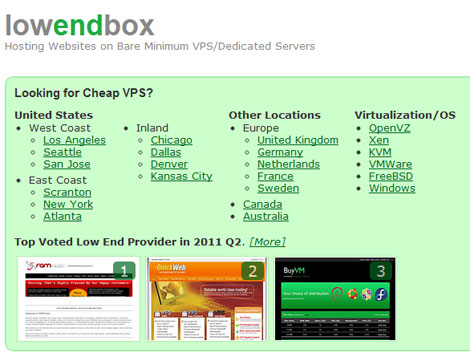
lowendbox.com is a website that lists bare minimum VPS or Dedicated Server offerings with the lowest price.

For VPS, the category is divided by the virtualization technology and the operating system, as well as the geographical location of the data centers.

low end box VPS

Additionally lowendbox.com provides discussion forum for optimizing web server and databases for the bare minimum servers!

Convert Audio files online with OggConvert.com!

OggConvert.com enables users to convert audio files to and from popular audio formats (MP3, OGG Vorbis, Flac, WMA, M4A, Wav) on-the-fly. The website feature a simple interface to accept input file and to provide feedback once the file has been converted.

Ogg Convert Logo

Best of all, it does not require registration!