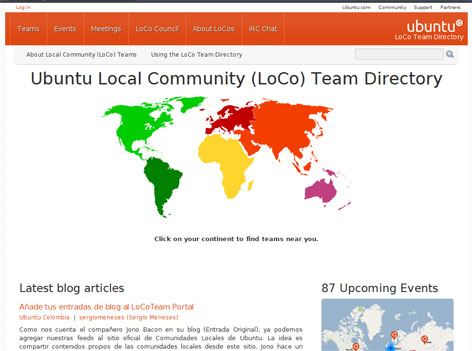
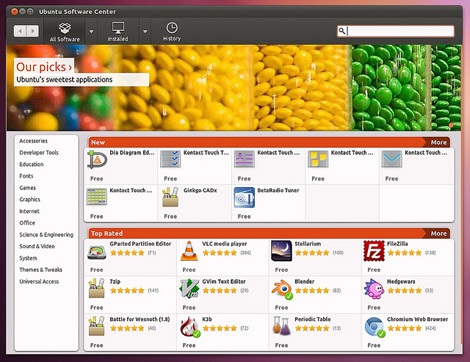
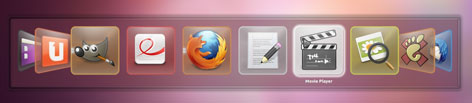
Visit Jono Bacon website for a screenshot tour of the upcoming Ubuntu 11.10 (Oneiric Ocelot) due release in October 2011

Free and Open Source blogger with an attitude
Stuff about GNU/Linux distro, tips and tricks or information


Visit Jono Bacon website for a screenshot tour of the upcoming Ubuntu 11.10 (Oneiric Ocelot) due release in October 2011
I once posted a harddisk layout for my pc to boot 5 operating systems, but this guy is way cooler! He posted a guide to install and boot 145 operating system in his computer…. check it out. Moreoever, he use GRUB!
It is undeniable that uptime is important for business and personal websites. For example, a website with low uptime may mean that the host is having technical problem or the web server is overwhelmed by client requests (serving web pages may incur a lot of overhead)
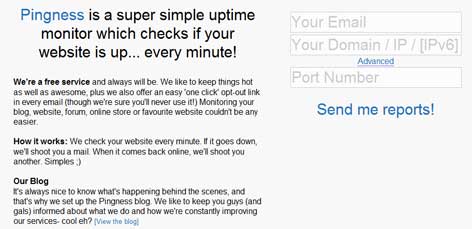
Pingness.com service does not require sign-up, you need to submit your email address and website url, and pingness will send reports of your site downtime (if any) and when the website is back-online.

RadioPlay is an only radio streaming player that runs on compatible Linux Desktop system tray. It feature an easy to use interface and only targets online streaming radio listener. The application sits on the system tray and features a simple interface which allows the user to quickly select Radio station based on its genre.
RadioTray supports customized playlist in the popular PLS (shoutcast/icecast) format, M3U as well as ASX, WAX and WVX.

Radiotray is available from the Ubuntu and Debian repository and can be installed using the Ubuntu Software Center, Synaptic or by running command “sudo apt-get install radiotray“

GNOME should stop trying to mimic other desktop environment and should concentrate building its own identity, because it has been driving people away…
John Goerzen: Please. Stop. Removing. Features.
Linus Torvalds Ditches GNOME For Xfce
After two weeks of using GNOME 3, I officially hate it
Debian GNU/Linux is probably the only Linux distro that has the largest software repository. However the default installation for Debian only includes the ‘main’ repository which is directly maintained by the Debian community and fulfills the Debian Free Software Guidelines (DFSG).
The two other repositories ‘contrib’ and ‘non-free’ are not enabled by default as it contains software that either does not meet DFSG requirements or depends on library or packages which does not meet DFSG requiments.
How to enable contrib and non-free repo in Debian
As ‘root’ you need to edit /etc/apt/sources.lst
Then add ‘contrib’ and ‘non free’ at the end of each line that begins with “deb” and “deb-src” just like the example:
deb http://http.us.debian.org/debian jessie main contrib non-free deb http://security.debian.org jessie/updates main contrib non-free
Save the file, and run ‘apt-get update‘ and optionally ‘apt-get upgrade‘ to activate the changes.
Recommended Reading