PolicyMaker: A Lightweight PHP Tool to Create Privacy Policy Pages for Android Apps

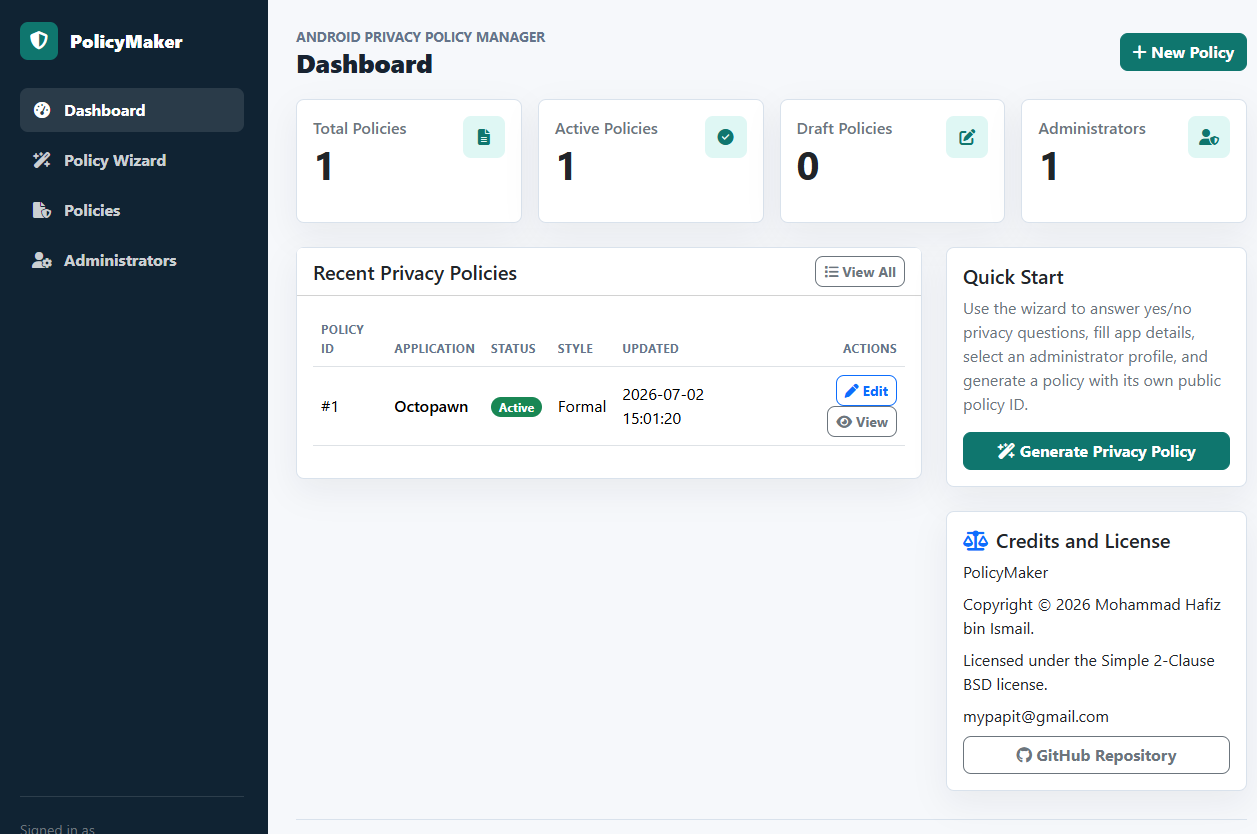
PolicyMaker is a lightweight web application for creating, managing, publishing, and displaying privacy policies for Android mobile applications. It is built using PHP and SQLite, so it does not need a heavy database server or complex deployment setup. The project is available on GitHub – https://github.com/mypapit/policymaker

PolicyMaker Dashboard
PolicyMaker Wizard
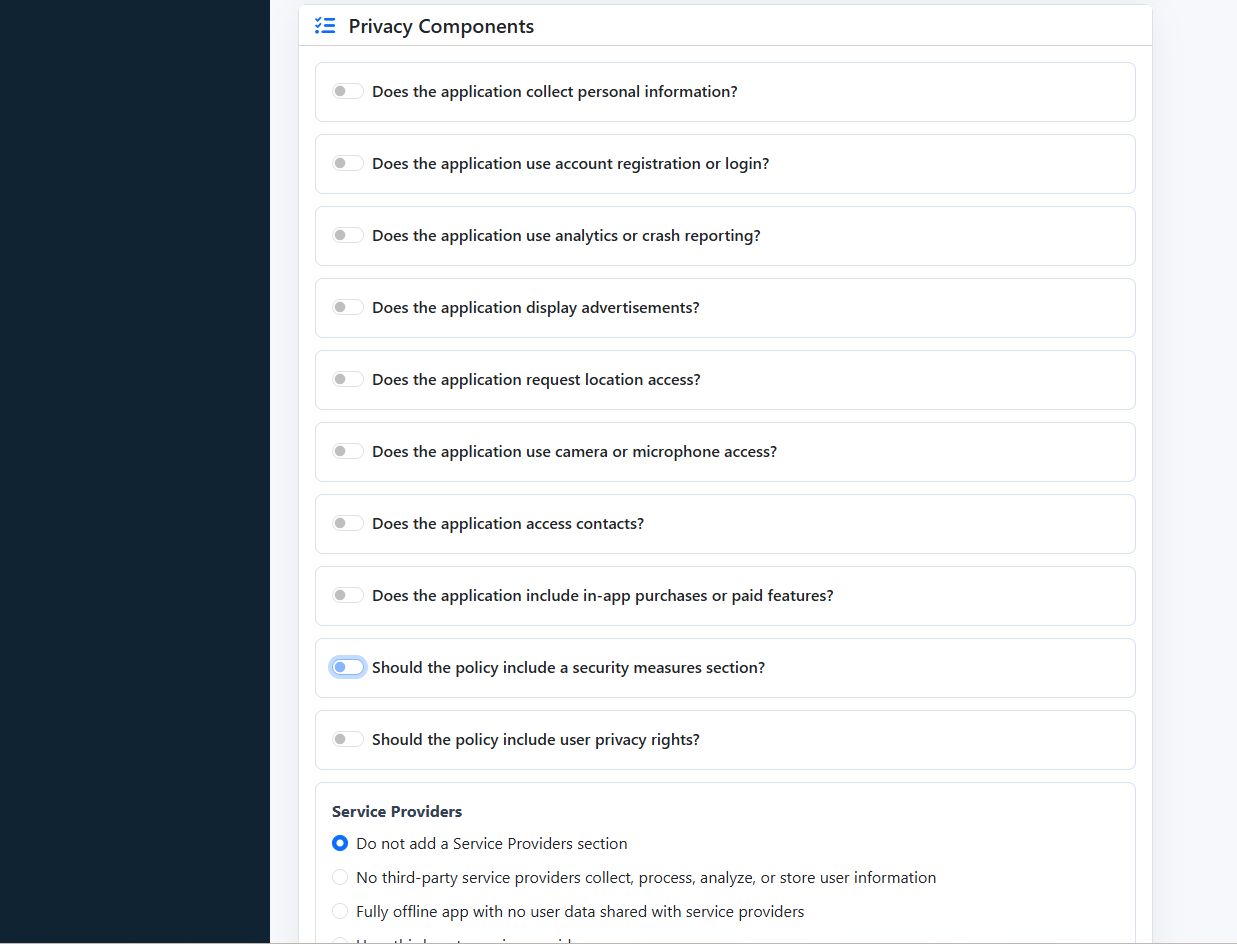
The main idea behind PolicyMaker is simple. Many Android developers need a public privacy policy page, especially when publishing applications to app stores. Instead of manually writing and formatting the same policy structure again and again, PolicyMaker provides an administrator-only wizard that helps generate structured privacy policy text from simple inputs.

The wizard supports yes/no choices, radio buttons, checkboxes, and text fields. It can collect details such as application name, package name, website, effective date, personal data collection, analytics, advertising, permissions, service providers, data retention, security, user rights, and children’s privacy.

PolicyMaker is useful for small developers, indie Android publishers, educators, and small organizations that manage several simple mobile apps. It is not meant to be a large enterprise compliance platform. Its strength is that it is small, direct, and easy to host. It only requires PHP 8.3 or newer with SQLite/PDO SQLite support. The installer creates the SQLite database and generates the first administrator password.

The public policy pages also include Schema.org JSON-LD metadata, which helps make the policy page more structured for search engines

PolicyMaker is licensed under the BSD 2-Clause license. This makes it practical for developers who want a small self-hosted privacy policy system that can be modified and deployed with minimal restriction.
Neuropentracker: A Simple BitTorrent Tracker for Small Setups

I have published Neuropentracker, a simple BitTorrent tracker on GitHub:
https://github.com/mypapit/neuropentracker

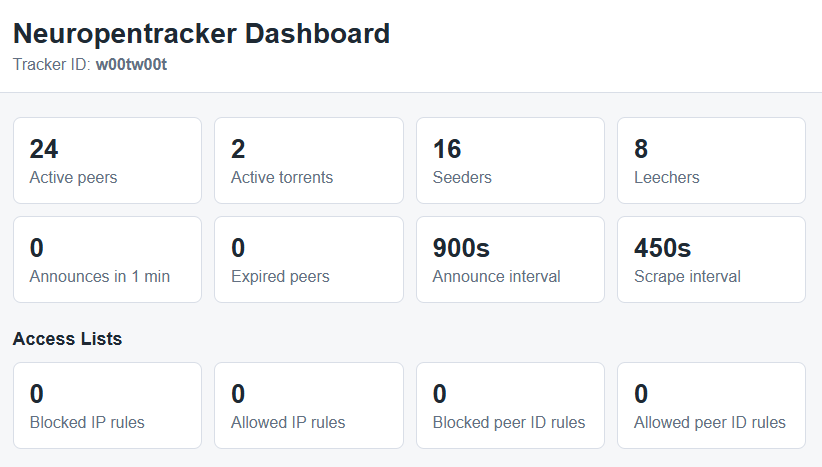
Dashboard Screenshot

What it is

Neuropentracker is written in PHP and is designed for small setups. It is suitable for small organizations, small communities, labs, schools, or internal file-sharing environments.

The main idea behind Neuropentracker is simplicity. It does not try to be a complete torrent portal or a large public tracker. It only provides the basic tracker functions needed by BitTorrent clients, such as announce and scrape support

It is designed for small organization to reduce server load when sharing large files. Instead of every user downloading from one central server,

What it is not

It is not intended for large public torrent sites. It does not include advanced features such as user accounts, ratio tracking, moderation system, or full torrent management portal. Administrators still need to secure the server, database, and tracker configuration properly.

Parting words

Overall, Neuropentracker is a lightweight and practical BitTorrent tracker for small and controlled environments. It is best used when the requirement is simple peer tracking, not a full torrent community platform.

How to remove WordPress version number from header, css files and feeds

Here’s how to remove WordPress version number from HTML header and feeds.

Include this at the end of your themes ‘function.php’ files, which you can edit in “Appearance->Editor” section in WordPress Admin.

function my_remove_version_info() {
     return '';
}
add_filter('the_generator', 'my_remove_version_info');

You can also remove WordPress version number from the included css and javascript. To do that, include this snippet at the end of your themes ‘function.php’ files

function remove_cssjs_ver( $src ) {
    if( strpos( $src, '?ver=' ) )
        $src = remove_query_arg( 'ver', $src );
    return $src;
}
add_filter( 'style_loader_src', 'remove_cssjs_ver', 10, 2 );
add_filter( 'script_loader_src', 'remove_cssjs_ver', 10, 2 );

This might improve security a little bit, and with additional hardening measures, make it harder for people to guess your WordPress version. Additionally, this may also helps in optimizing WordPress web delivery when using Pagespeed extension.

Source: http://www.wpbeginner.com/wp-tutorials/the-right-way-to-remove-wordpress-version-number/

Connecting blog with IFTTT !

I’ve managed to connect this blog with IFTTT! However due to certain security restriction that I’ve enforced on this blog to curb spammers and unauthorized access (aka crackers), I’ve decided against connecting my blog directly through XMLRPC endpoint. So I’ve use RSS/ATOM feeds instead.

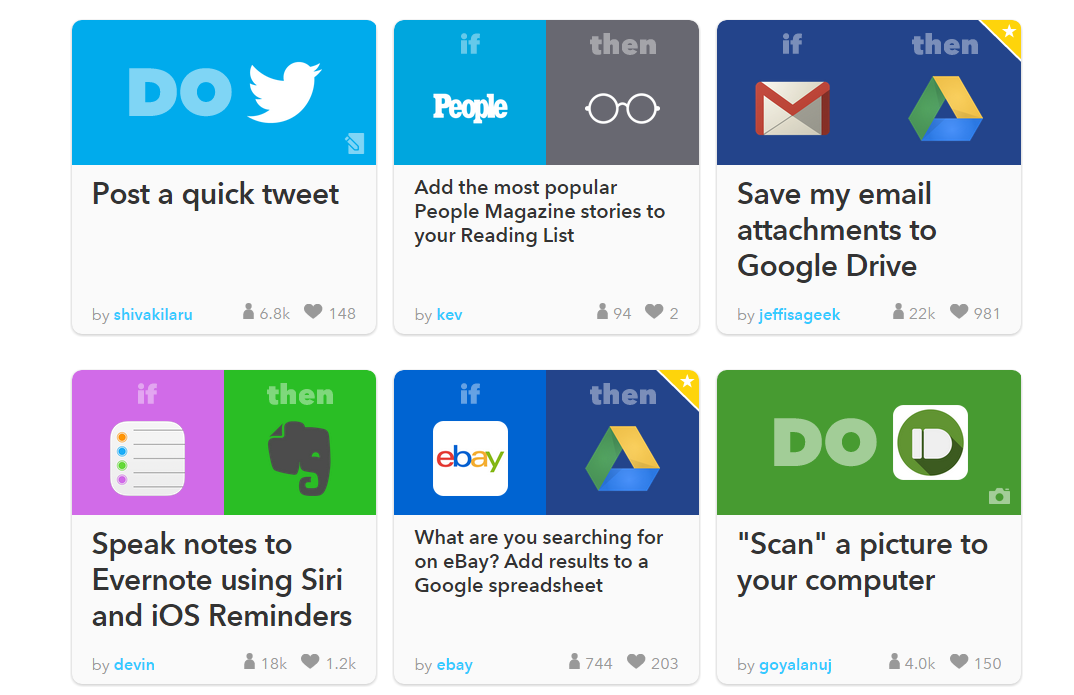
IFTTT is a wonderful service which allows you to connect various services to perform automated task on another web service. Very convenient for busy people!

ifttt

*IFTTT stands for “If this, then that” which is a programming metaphor in basic automatic decision making or branching.

How to get Free Bitcoins from Bitcoin Faucet

Good news to those who are looking to get their hands on Bitcoins, beside setting up a mining rig, one can get free bitcoin from Bitcoin Faucet, a website dedicated to hand free bitcoin.

What you need is a Bitcoin receiving address, obtained by registering an account with either MyBitcoin, MTGox, or Vekja.

Additionally, you may donate your excess bitcoin to the Faucet in order to share it with the rest of the world.

p/s: Don’t be surprised if the amount you received is minuscule, hey — it’s free !

Awesome Web apps integration with Mozilla Prism (Google, Facebook)

Being a relatively newcomer with Desktop + Web apps application, I tried to experiment with Mozilla Prism in a newly installed Ubuntu Hardy on my sister’s laptop.

At first glance, Mozilla Prism really hits the spot. as it allows seamless integration of various web application within your computer. Prism made it easier for me to access various web application from my desktop with relative ease, as if they were local applications.

Screenshots of Prism in action

Google Reader

Google Prism

Google Docs

Google Docs in Prism

Google Facebook

Google Docs in Prism

Prism enhances web experience greatly by integrating web application into desktop environment.

How to Install Prism
From desktop, go to System->Administration->Synaptic Package Manager, and search prism. Install “prism” package together with its associated web application (called “bundles”)

Installing Mozilla Prism

Facebook and Google Groups Integrated inside Applications Menu

Installing Mozilla Prism