I’ve put my latest project on GitHub: renogybt-emulator, a Python library and command-line tool that emulates the Bluetooth interface exposed by Renogy BT-1 and BT-2 modules connected to an MPPT solar charge controller.
The aim is to make it easier to develop and test solar-monitoring software without needing a physical controller, solar panels or batteries on the desk.
TLDR; This software make a Linux computer behave like a Renogy solar charge controller over Bluetooth, so you can test your apps without physical solar equipment.
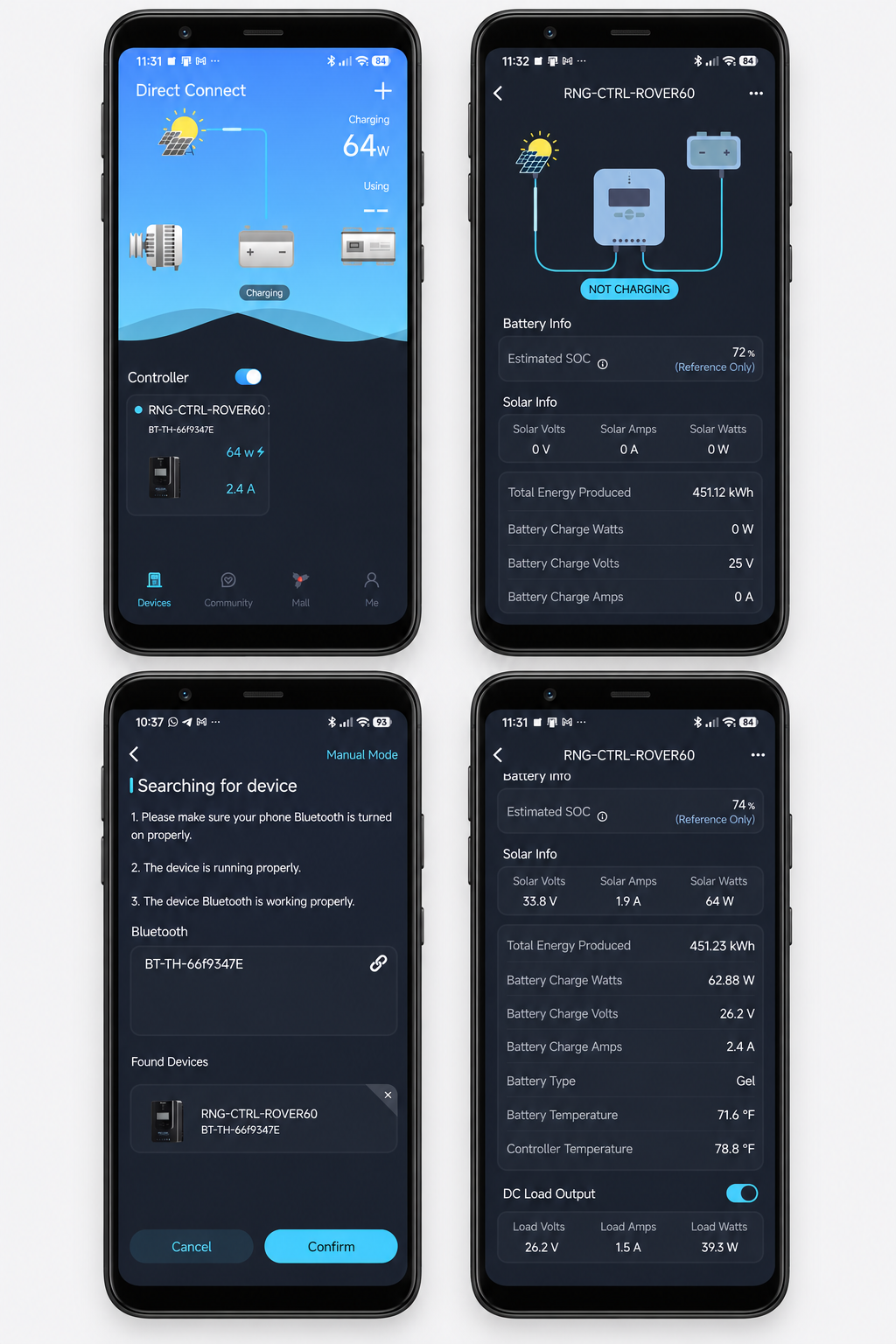
Demo Screenshots From Official Renogy Mobile Application
How it works
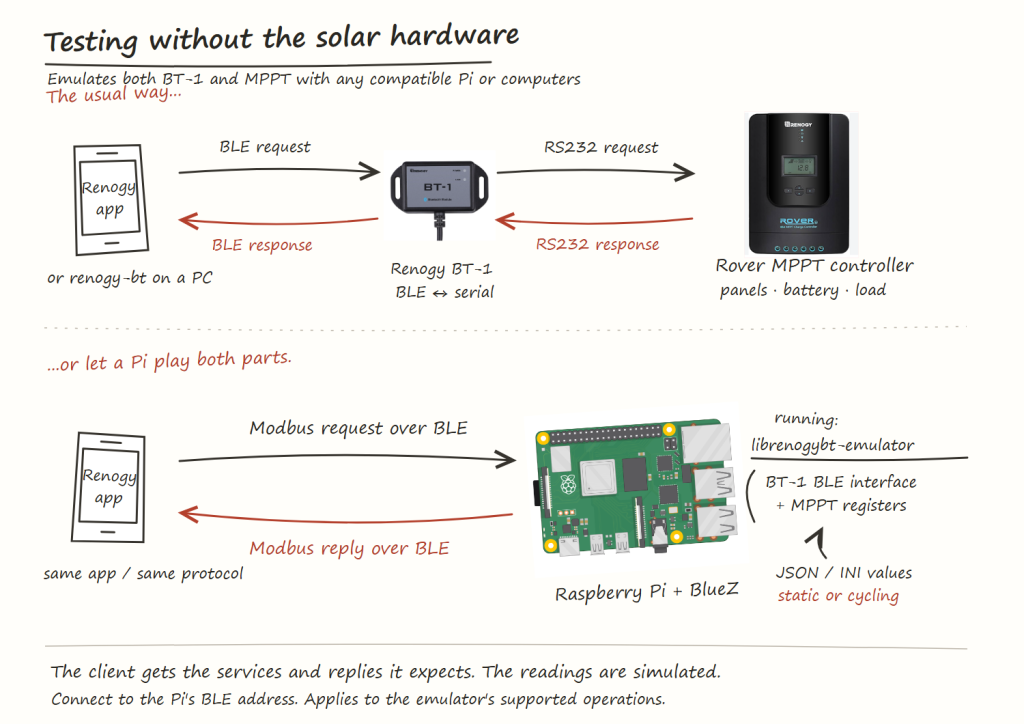
The BT-1 and BT-2 modules provide Bluetooth Low Energy (BLE) access to Renogy equipment, using RS232 and RS485 respectively on the controller side. My emulator runs on a Linux computer with a BLE adapter and presents the Bluetooth services and simulated controller data that a compatible client expects.
Underneath, it implements the BLE GATT services and characteristics used for communication, together with a Modbus RTU responder. A client sends a request over Bluetooth, and the emulator replies with values from its simulated register bank. Those values include battery voltage, charging current, solar power, temperatures and load status.
This lets a monitoring application connect to an emulated device and exercise its normal communication path.
Renogy BT-1 telemetry provides useful information for monitoring the condition and performance of a solar photovoltaic system. It can report key values such as PV voltage, current, power generation, battery status, controller temperature, charging activity, and load consumption. These data are important for building dashboards, alerts, databases, and automation systems.
However, developing and testing such a monitoring system normally requires access to real Renogy hardware, including a compatible charge controller and BT-1 Bluetooth module. This can make early development difficult, especially when developers need to reproduce specific conditions such as low battery voltage, peak sunlight, nighttime discharge, or controller inactivity.
My latest open-source project, Renogy BT-1 Telemetry Simulator, removes this hardware requirement.
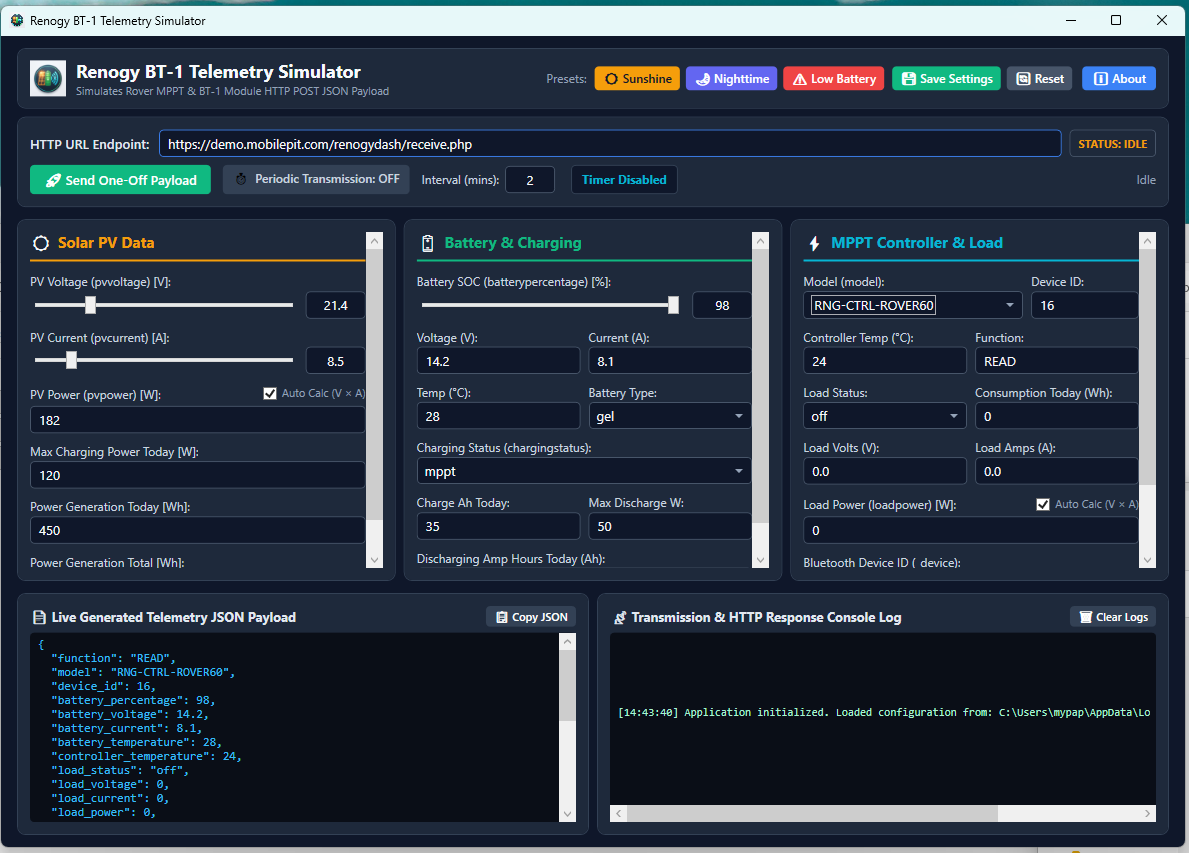
Application Screenshot
The Renogy BT-1 Telemetry Simulator addresses this problem by generating realistic sample telemetry and sending it as JSON to an HTTP or HTTPS endpoint without requiring physical solar equipment.
The simulator imitates telemetry commonly produced by a Renogy BT-1 module connected to a Renogy Rover MPPT charge controller.
You can manually configure values such as:
Solar PV voltage, current, power, and generated energy
Battery percentage, voltage, current, temperature, and battery type
Controller temperature and charging status
Load voltage, current, power, and energy consumption
Controller model, device ID, and BT-1 identifier
The application can also calculate PV and load power automatically.
Renogy BT-1 Telemetry Simulator Use Cases
The simulator is useful for testing the Solar PV under various situations:
Peak Sunshine
Nighttime operations
Low battery conditions
Heavy loads / light loads
Application Features
One-off HTTP Post transmission
Periodic transmission at a configurable interval
A default two-minute sending interval
Live JSON payload preview
Transmission logs with HTTP status, response, errors, and request duration
This is useful for testing local development servers, webhooks, staging systems, database storage, monitoring dashboards, and automated alerts before installing physical solar hardware.
Requirements
The application uses WPF and .NET 8, so it runs on Windows 10 or Windows 11. Developers can build it using Visual Studio 2022 or the standard dotnet command-line tools.
The current HTTP client accepts self-signed HTTPS certificates for local testing. This behaviour should not be treated as secure certificate validation for production systems.
Download the Source Code
Renogy BT-1 Telemetry Simulator is available on GitHub:
The project is released under the GNU General Public License version 3, allowing users to study, modify, and redistribute the source code according to the GPL terms.
This project is an independent simulator and is not an official Renogy product.
Free Software (or Open Source Software) aims not only to give the freedom to use software without restrictions, but also grants the user the freedom to modify, enhance and redistribute the modified code to others while simultaneously granting others the same freedom as well.
To this end, commercial companies have benefited from contributions made by online communities from all over the world on Free and Open Source Software, which some of the company gives back.
However there are also some quarters who are not prepared to face the reality of code forking, especially when the fork has the potential to compete with the original software.
The Free Software Foundation also provides a brief explanation behind the reason why some popular GNU/Linux distributions are not included in the lists, which is available here: Explaining Why We Don’t Endorse Other Systems
Last month, Debian has released the Community Patent Distribution Policy FAQ to educate Free Software developers and distributors regarding patent risks towards Free Software. The FAQ explains the terms associated with software patent such as infringement, liability, contributory infringement, willful infringement, injuction and how to minimize the risks.
Httrack is a tool for copying and saving an entire website in Debian and Ubuntu. Httrack can crawl an online website save each of the pages (including graphic and other downloadable files).
Among httrack features are:
Able to continue interrupted downloads
Selective download
Customizable user-agent
Customizable Scan-rules, can exclude files from being crawled
Accept cookies
URL hacks
Tolerant requests support
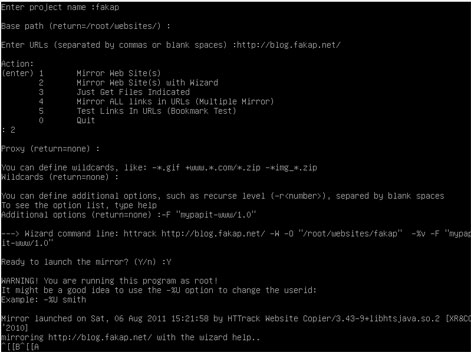
Using ‘httrack‘ is easy, as it has built-in wizard that can guide you through the process of mirroring web sites. The user will be asked a series of question about the URL to be mirrored, the location where the files will be saved, proxy server and the user-agent to be used.
p/s: httrack perhaps is the only open-source website copier/downloader tool available for GNU/Linux operating system. It is efficient and easy to use. The only gripe that I’ve when using ‘httrack‘ is that it does not provide progress feedback (unlike its counterpart in Microsoft Windows) like ‘wget‘