It seems Google have implemented private prefetch proxy in Chrome for Android.
The upside of this private prefetch proxy is improved browsing experience for mobile users by reducing waiting time for web pages to load.
The downside is, as web server administrators – you might find a lot of 404 status in your web logs.
To solve this, you could either :
Write directive to ignore 404 logs for “traffic-advice”
Create “/.well-known/traffic-advice file for each domain and set the file to be served with “application/trafficadvice+json” MIME type [source]
Solution
Luckily, TechTitBits have come up with a convenient solution which only involves adding a few lines in configuration files to enable Chrome for Android prefetched proxy in nginx.
This handy script is useful for webserver traffic analysis task. It can be use to detect abusive IP address or spambots which accesses the webserver.
ystem administrators can utilize the generated list of IP addresses to enhance webserver security by blocking those IPs deemed potentially harmful or suspicious.
A lot of people struggling in configuring PKP Open Journal System 3 (OJS3) to run behind nginx reverse proxy as OJS3 does not support nginx natively
So most implementation would settle with Apache HTTPD server or install it behind nginx reverse proxy.
However the problem is that the OJS3 behave badly when placed behind nginx reverse proxy, especially when the reverse proxy is using HTTPS / TLS. This messed up the based URL in the OJS3, subsequently causing some resources from the website to be unavailable.
To solve this, you only need to add a single line in the Apache HTTPD site configuration file.
DKIM (Domain keys identified Mail) is a scheme for which allows a receiver to verify that the email originated (or authorized) by the domain’s owner via a digital signature.
Having DKIM signature adds credibility to the email messages sent from the origin host/domain, which is crucial for automated emailing system to avoid the messages from being suspected as SPAM email or spoofed email.
I managed to set up DKIM for an academic journal website which I’ve managed. The journal’s runs on Open Journal System web application, the addition of DKIM is crucial to avoid GMail or Microsoft Live from labeling the automated emails sent from the academic journal from being labeled as spam.
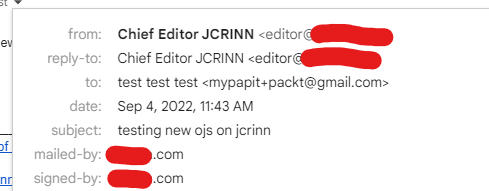
At first I found that the DKIM scheme that I’ve setup was running fine and the email messages was verified correctly from my Organizational email domain. However, I’ve noticed a problem when the automated email sent from OJS is not properly verified by Gmail-addressed account (@gmail.com). Upon inspection in the email header, I’ve noticed that the GMail marked the DKIM signature sent from my domain as “bad format”. Example below:
After hours of searching and debugging, including referring to the DKIM NS TXT record for reference, I finally found out that Gmail treat the “g=*” optional parameter as required, and thus I’ve to append “;g=*” to the DKIM TXT record on my domains’ DNS record.